Verbatim
A music player built for Navidrome
macOS 26 or later · Requires a self-hosted Navidrome server
See the player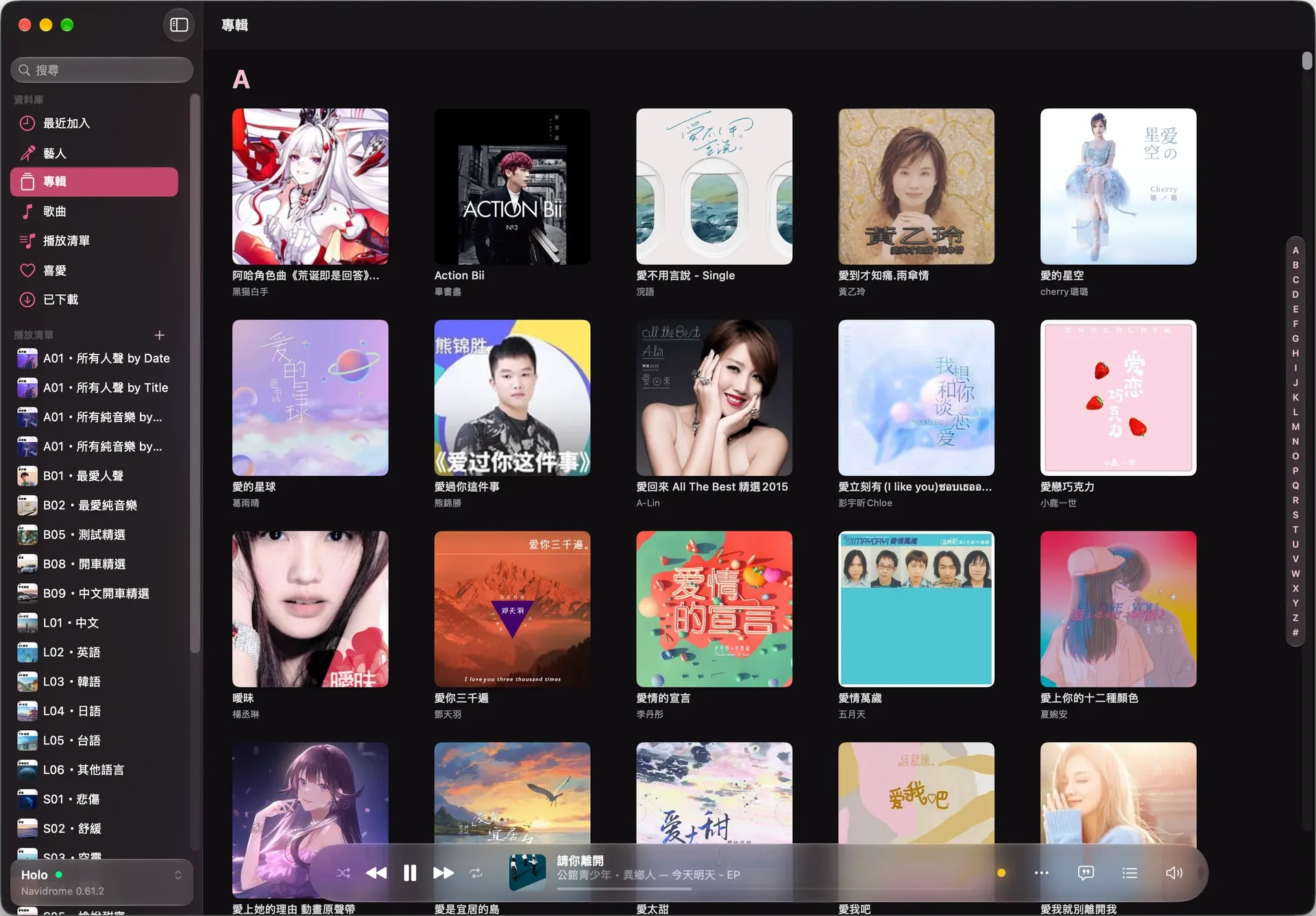


Follow the audio signal
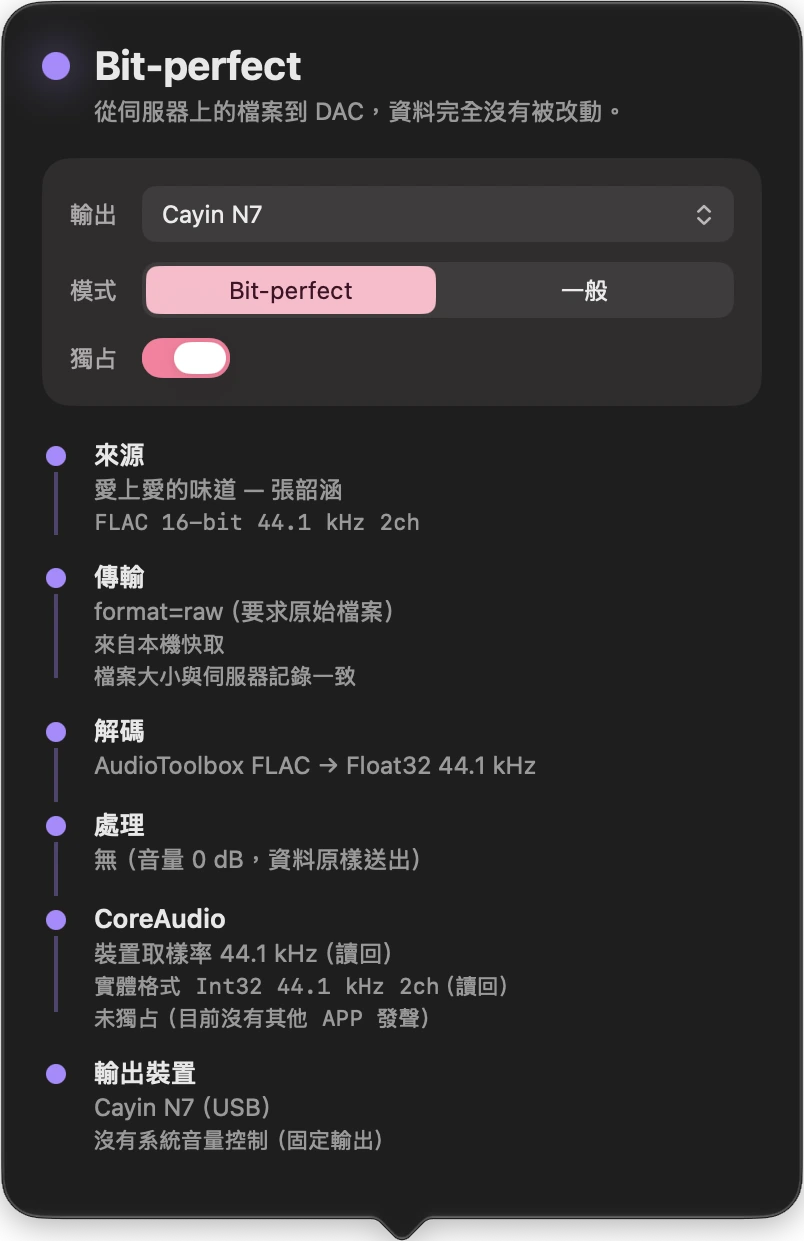
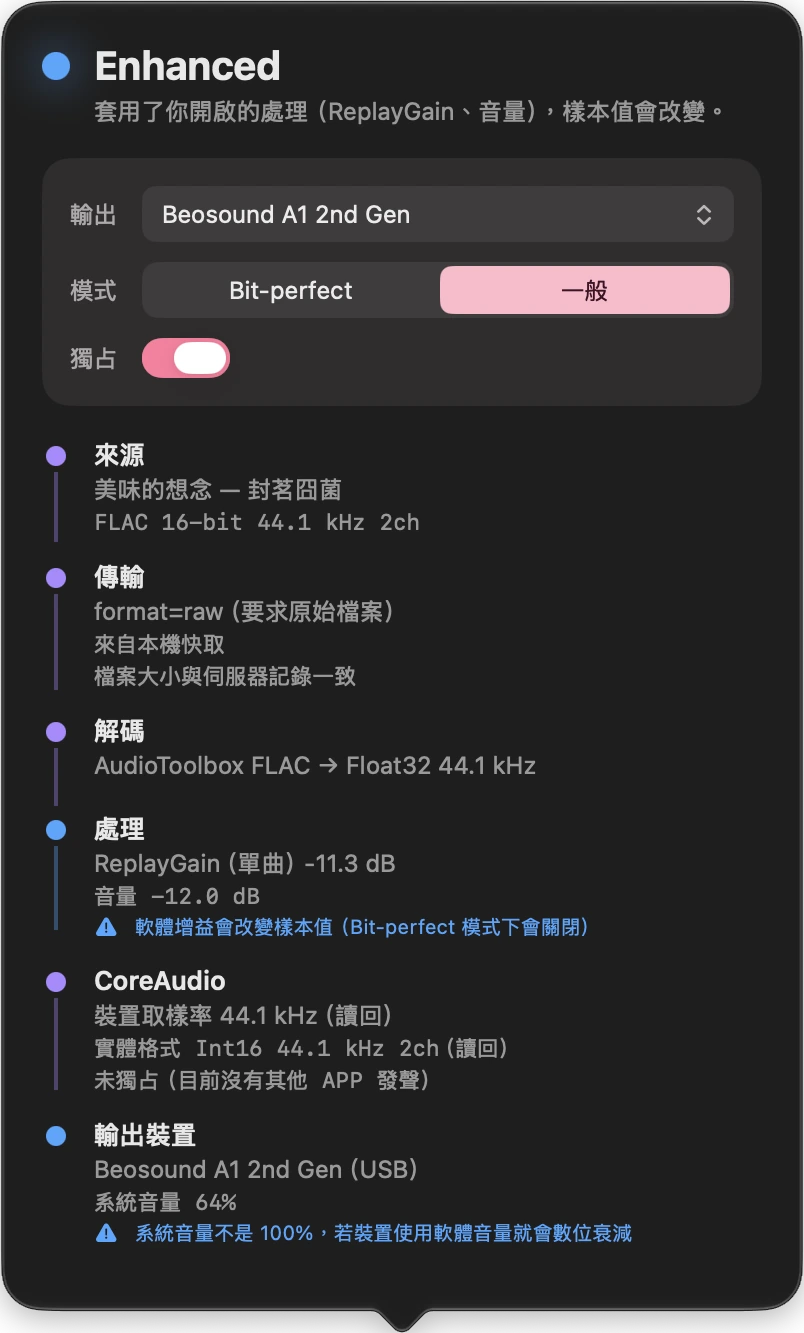
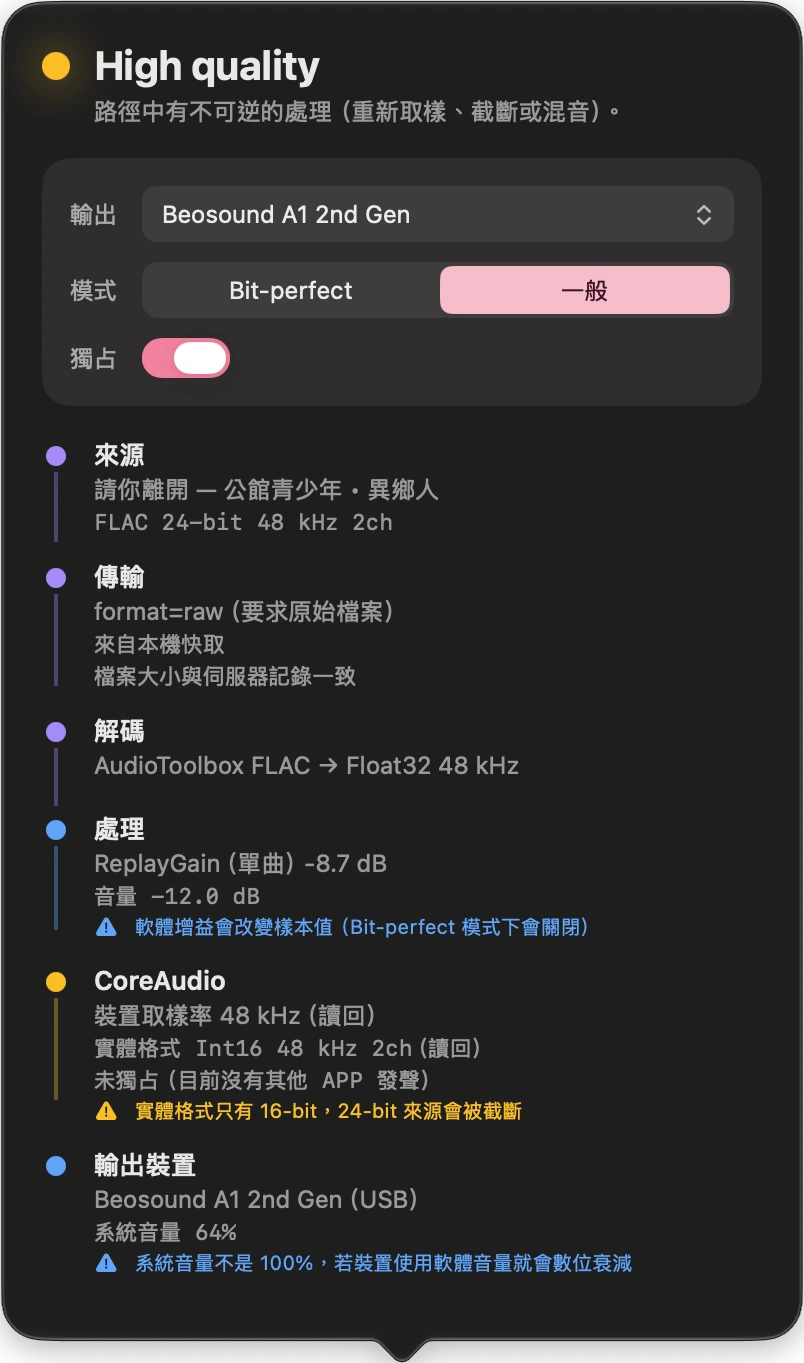
Verbatim asks Navidrome for the original file. The Signal Path panel follows the audio from decoding and processing to the output device.
I wrote the Core Audio output layer so the player can match the device’s sample rate to the track and, on compatible hardware, play bit-perfect. I tested the output by recording it through BlackHole and comparing it with the decoded source, sample by sample.
Playlists and offline listening
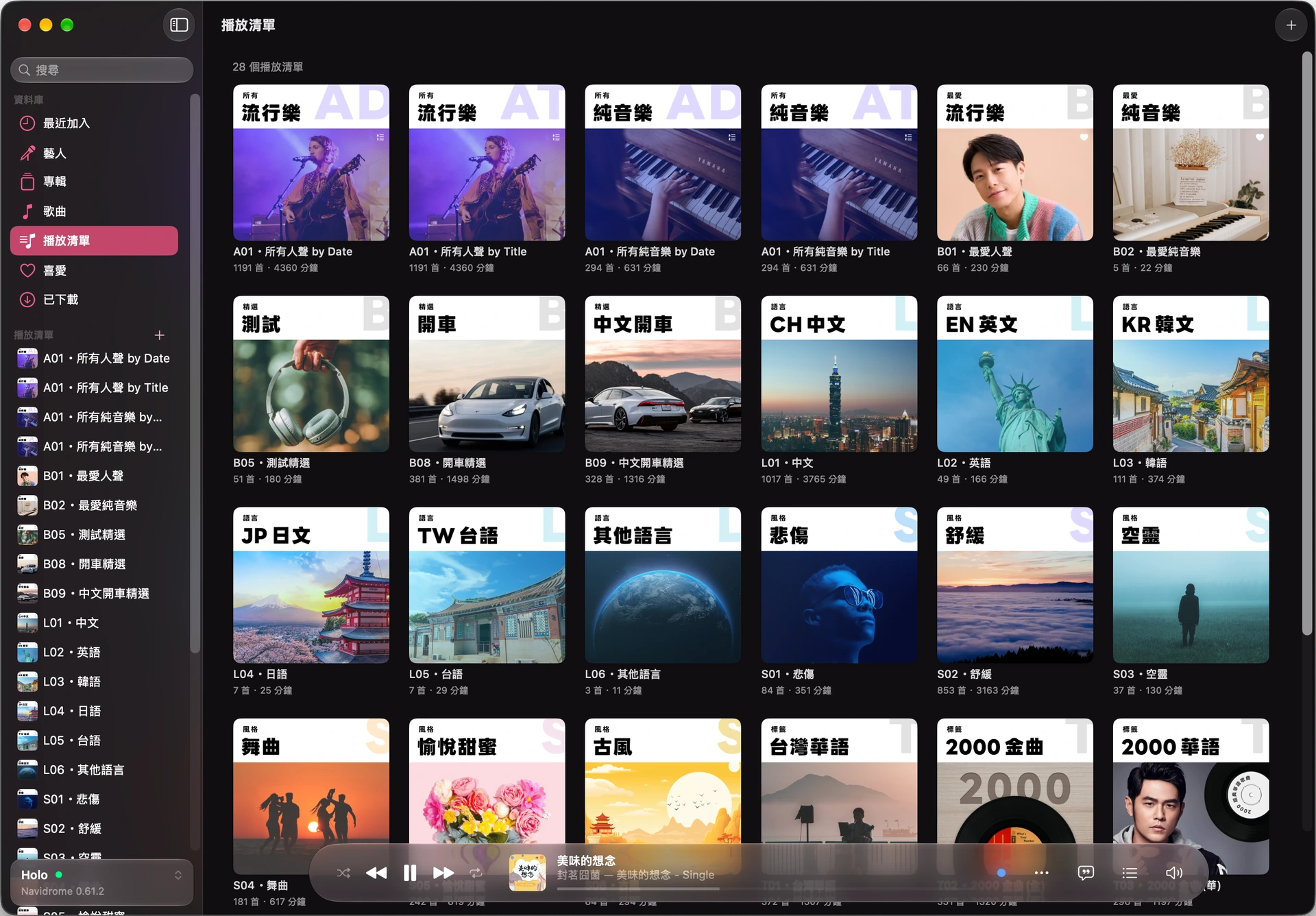
I can browse the library by album or artist, edit playlists, and download an entire playlist for offline listening.
Control playback from your phone
Open the remote in your phone’s browser on the same Wi-Fi and enter the six-digit pairing code. Browse the library or change tracks while playback stays on the Mac.