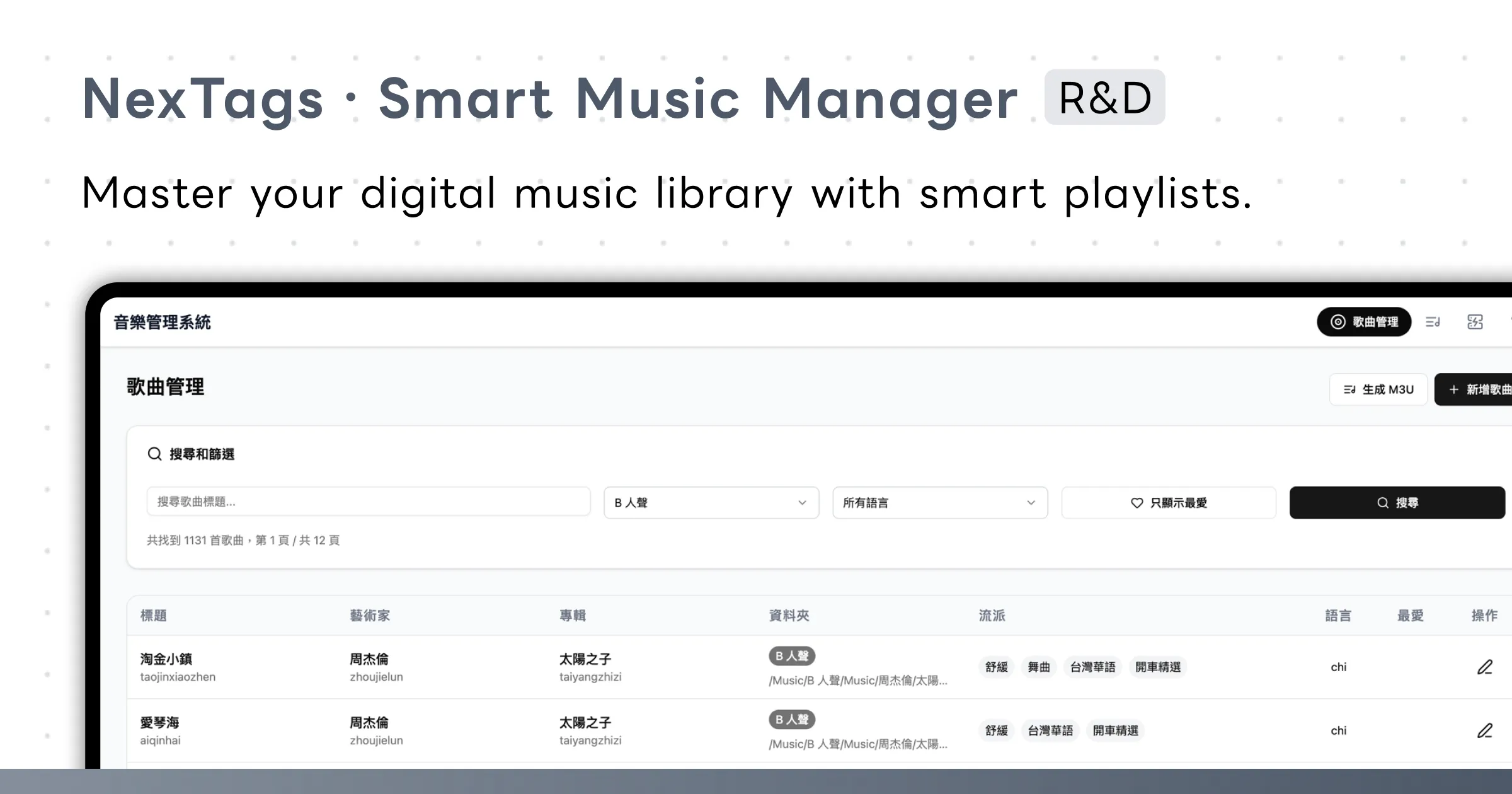
Project Overview
NexTags is a self-hosted music library management system designed for users with large digital music collections. The core problem it solves is the fragmented nature of music file metadata management — previously requiring multiple apps just to organize a library.
With NexTags, all operations are done in the browser: browsing the library, editing tags, building playlists, and handling lyrics — deployed on your own server via Docker Compose for complete data ownership.
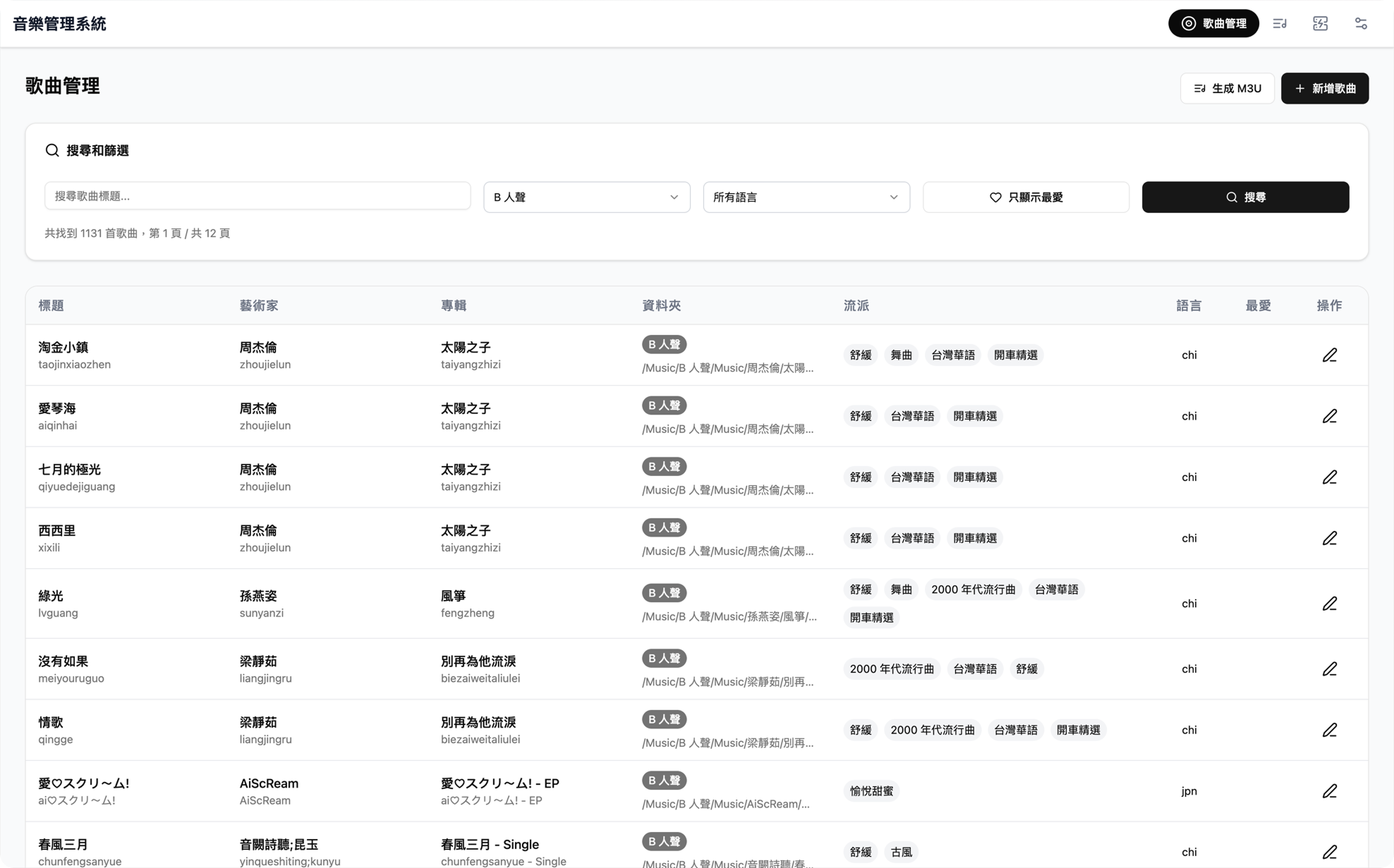
Song Management
The main library view supports multi-condition filtering and real-time search, letting you quickly locate songs by folder, language, favorites, and more. Supports MP3, FLAC, M4A, OGG, WAV, and other major formats — paginated browsing keeps large libraries responsive.
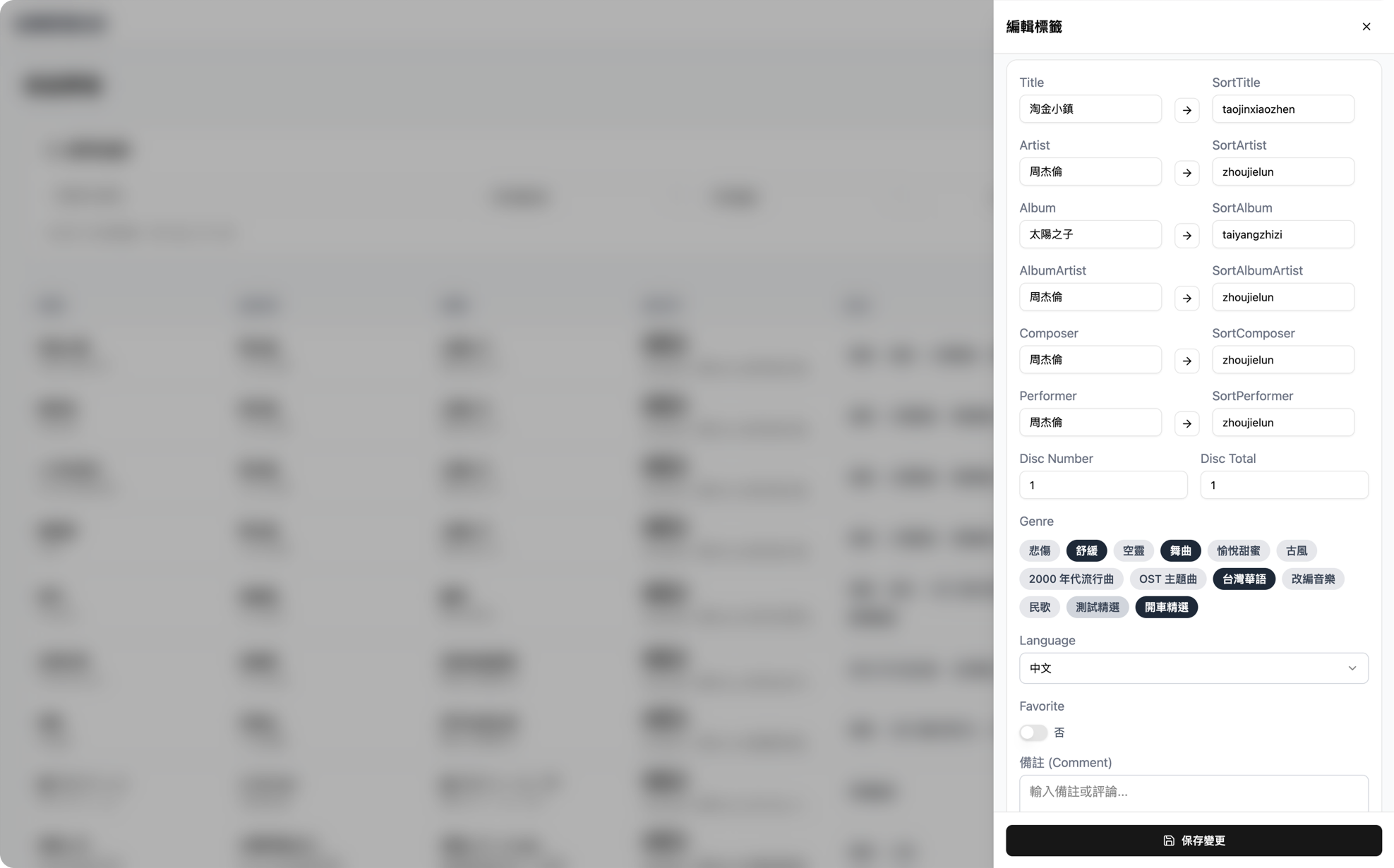
Inline Tag Editor
Open a side panel directly from the song list to edit 20+ metadata fields. Supports ID3v2, Vorbis Comment, and FLAC tag formats — changes are written back to the original file immediately.
Fields include Title, Artist, Album and their corresponding Sort fields, multi-tag Genre selection, Language, Favorite, and other custom fields. pypinyin automatically generates pinyin sort values, so you never need to fill in Sort fields by hand.
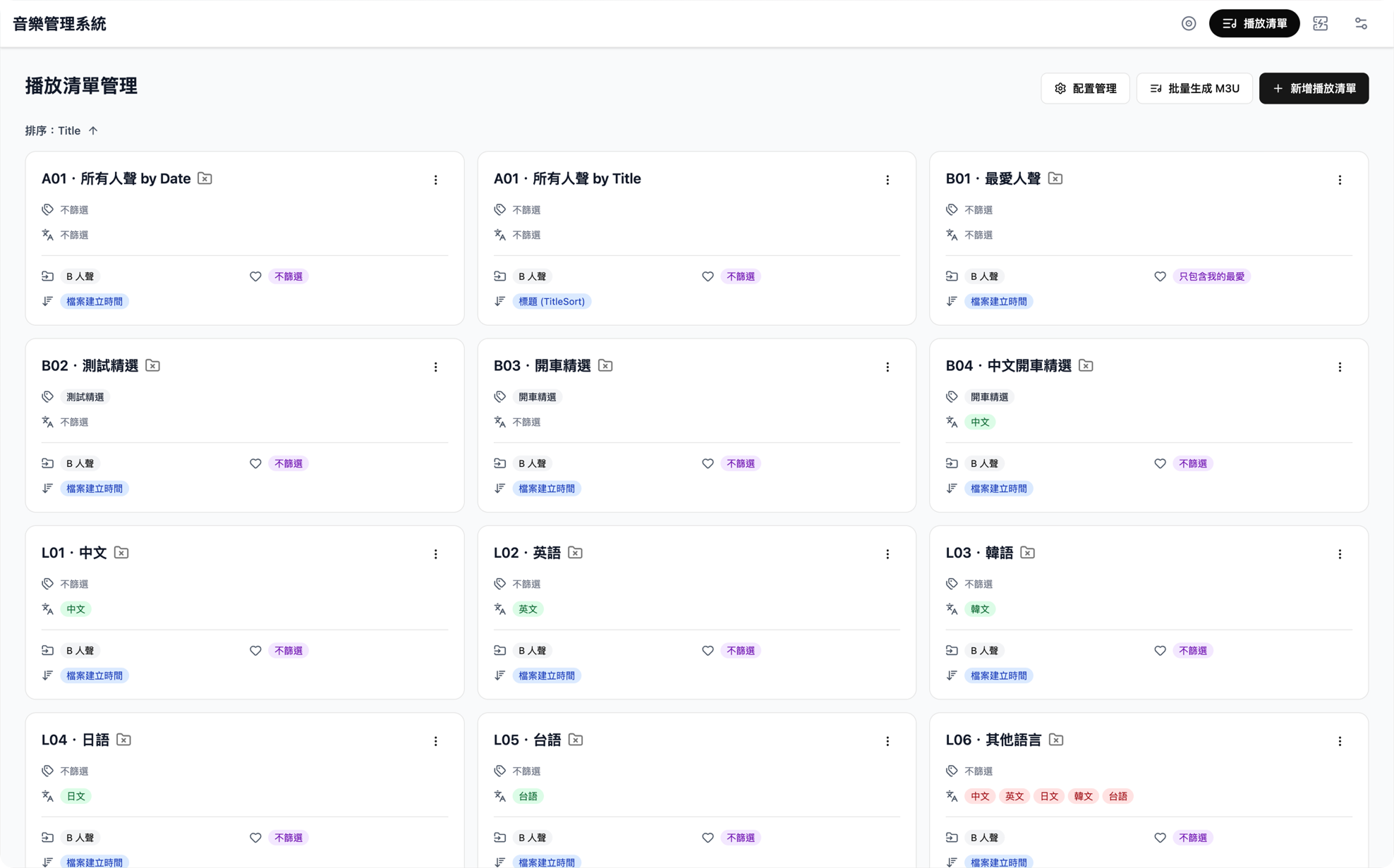
Smart Playlists
Build playlists from dynamic filter conditions — filter by tag include/exclude, language, favorites, and more, with multiple sort options (title, created time, album, artist).
Export single or batch M3U files for direct use with Navidrome, Jellyfin, and other media servers. Playlist configurations also support JSON export/import for easy backup and migration.
Music Import Workflow
A 7-step guided import flow chains all the operations needed to add new music to the library into one streamlined process:
Step 1 - Upload
Upload audio files to a staging area, with support for batch drag-and-drop.Step 2 - Auto Convert
M4A files are automatically converted to FLAC viaFFmpeg, preserving all original tags during conversion.Step 3 - Extract Metadata
UsesMutagen to automatically read existing tag information from audio files.Step 4 - Tag Editing
Review and fill in metadata before import to confirm song information is correct.Step 5 - Artist Management
Checks for missing artist folders in the target music library, with the option to upload artist images at the same time.Step 6 - Archive
Automatically moves files to the correct folder path based on configured rules.Step 7 - ReplayGain
Usesr128gain to batch-analyze loudness and write ReplayGain tags, ensuring consistent playback volume across all songs.AI Lyrics Processing
Integrated with Claude API, a one-click AI lyrics action in the tag editor supports three operations:
Format Normalization
Automatically cleans LRC lyrics format and standardizes timestamp notation.Simplified/Traditional Conversion
Converts Simplified Chinese lyrics to Traditional Chinese while preserving the original LRC timeline.Lyrics Translation
Supports inline Chinese translation of English, Korean, and other language lyrics.Technical Architecture
Backend
FastAPI handles API logic, Mutagen manages audio metadata read/write, FFmpeg handles format conversion, and r128gain performs ReplayGain analysis. The data layer now uses Python’s built-in sqlite3 module for smart playlists and system settings, with WAL mode and foreign-key support enabled; Redis remains as the audio tag cache layer to speed up large-library queries.Frontend
Built withReact 19 and Vite, using the shadcn/ui component library and Tailwind CSS for the interface. dnd-kit handles drag-and-drop sorting on settings pages, and Sonner provides action notifications.Deployment
Docker Compose orchestrates the FastAPI backend, Nginx frontend, and Redis cache. The SQLite database file is persisted through the app-data volume, so there is no separate PostgreSQL container to maintain. Supports both development mode (Hot Reload) and production deployment configurations.