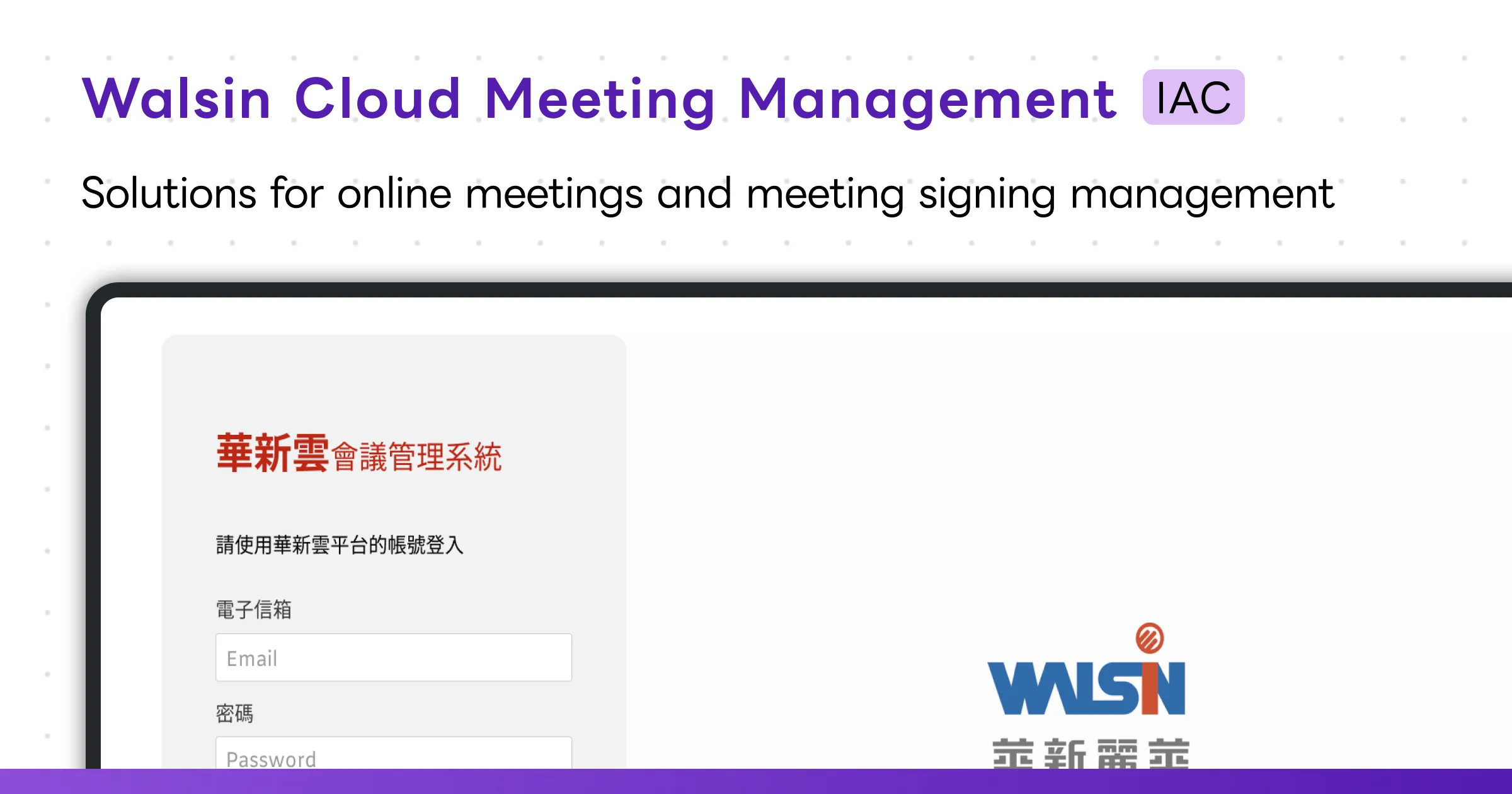
Project Overview
To schedule a cross-department meeting, an employee enters a topic and an agenda, picks a time and room, and selects a host and attendees before submitting the request. We built Huaxin Cloud for Walsin Lihwa through an industry–university collaboration. Each meeting record ties together the request, both approvals, and the calendar invitation.
My Role
I was the technical lead and product designer. I turned user requirements into a Figma prototype, built the responsive web interface with Bootstrap, and developed the backend and data access with Node.js and MongoDB. I also integrated Jitsi Meet for online meetings.
From meeting request to calendar invitation
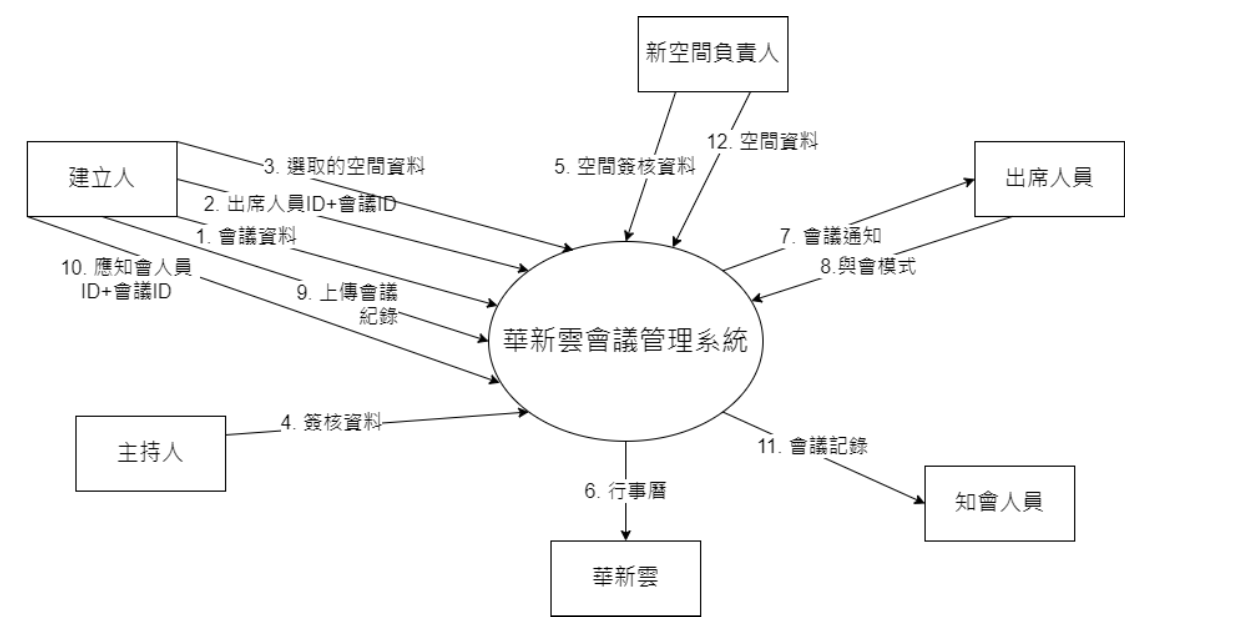
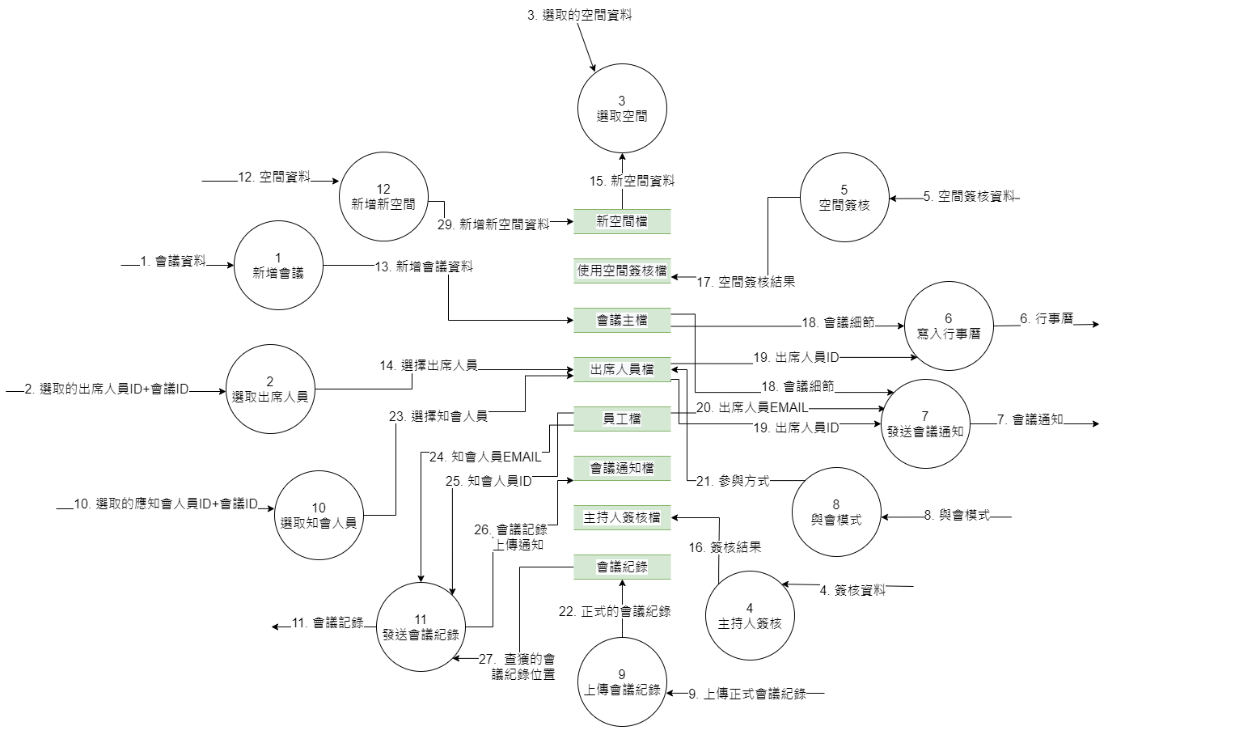
- Submitting a request notifies the host first. The system saves the meeting and attendee list and creates pending approval records for both the host and the room. It then emails the host to review the request.
- Host approval triggers the room administrator’s notification. The system records the host’s approval, identifies the administrator for the selected room, and emails them to review the room request.
- Room approval triggers the calendar invitation. The system uses the meeting title, time, and location to generate an iCalendar (
.ics) file. Nodemailer sends it as an attachment to the meeting notification so attendees can add the event to their calendars.
Room administrators receive requests the host has already confirmed, and attendees get an invitation once the room is approved. The trade-off is that a slow response from the host delays the room administrator’s notification and holds up scheduling.
How a meeting record links approvals and attendance
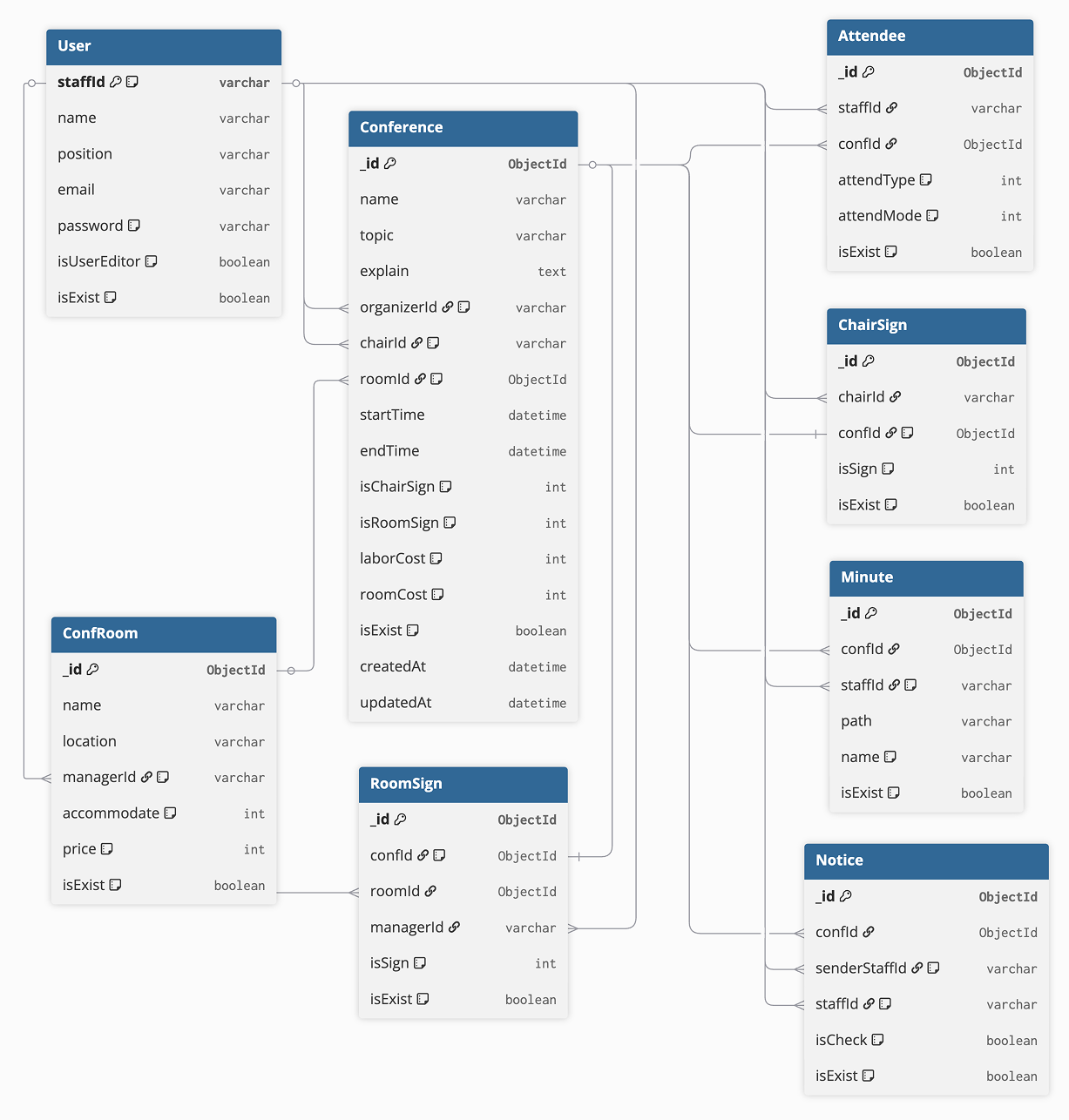
Conference stores the meeting details and the status of both approvals. ChairSign and RoomSign record who handles each approval and its outcome. Attendee links each participant and their attendance mode to the meeting.
The meeting list can read both statuses directly from the meeting record, while each approval record provides the details for its own stage. Storing each status in two places means updating the meeting and its corresponding approval record together to keep the list and approval details in sync.