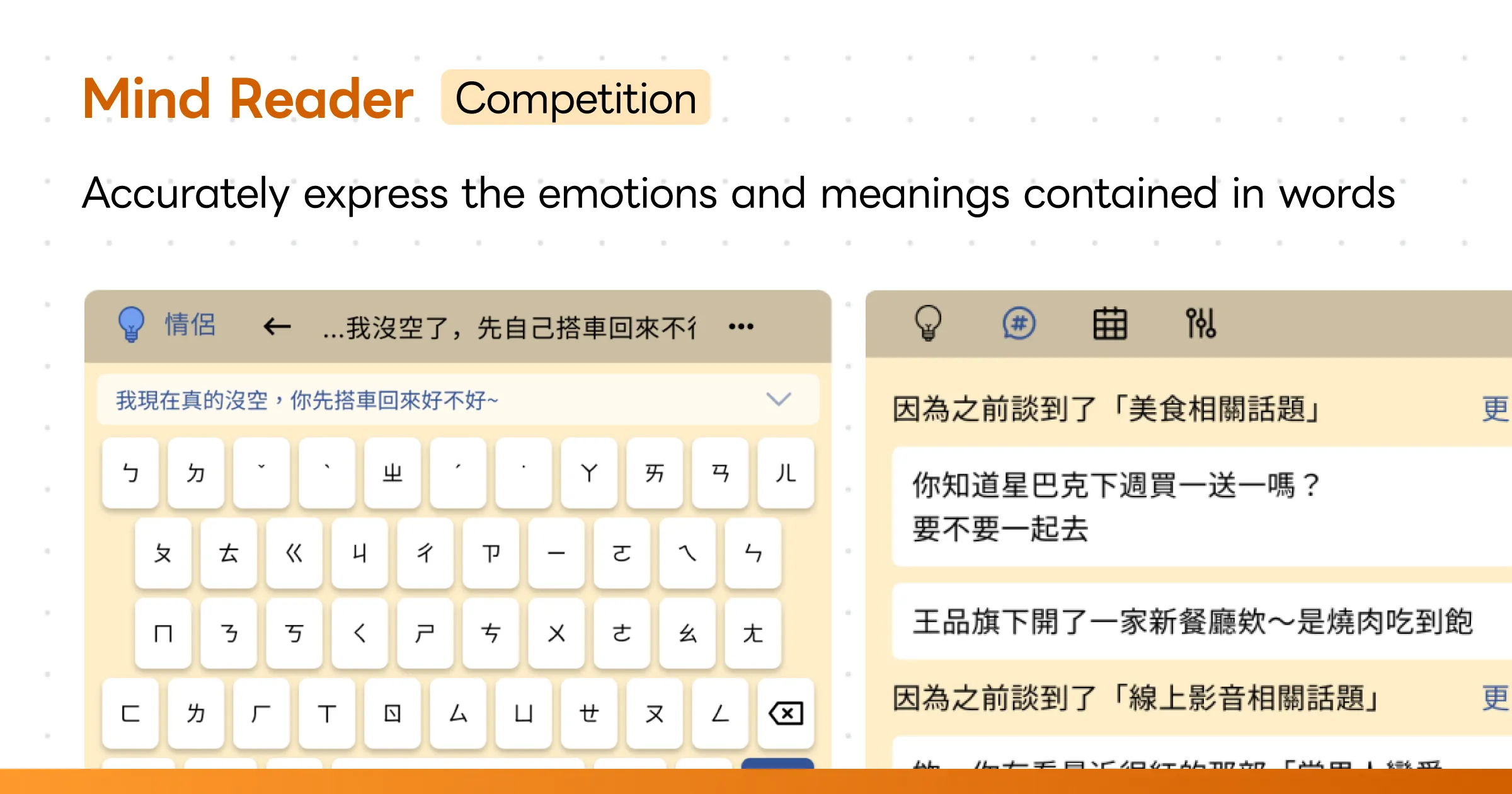
Project Overview
Say you need to tell your manager, “I’m not feeling well and won’t make tomorrow’s 2 p.m. meeting at the branch office.” In the MindReader web MVP, select the manager relationship, enter the original message, and start the rewrite. The results offer alternative wording, such as adding a greeting to your manager. Choose the version that fits and copy it back into your chat.
A message to a friend may use a different greeting or tone from one to a manager. MindReader lets you specify the relationship and decide which suggestion conveys what you meant.
My Role
I was the team’s CTO and product designer, responsible for the system architecture, database design, and product interface. I designed the keyboard prototype and LINE Bot conversation flows in Figma, built the LINE Bot with Django, and developed the Flask API that connects Azure LUIS intent analysis with a Firebase phrase library.
Awards
2021 National University Information Application Service Innovation Competition
3rd Place 。 Azure Cloud Division
2021 National University Information Application Service Innovation Competition
Honorable Mention 。 Information Application Division
Chung Yuan Christian University MIS Department AY110 Information Management Graduation Project Competition
1st Place
AY109 Chung Yuan Christian University MIS Department Information Management Project Preliminary Competition
2nd Place
AY110 Chung Yuan Christian University Higher Education Deep Cultivation Student Enterprise Problem-Solving Research Team Program
Honorable Mention
Web MVP | Choose how to phrase a message
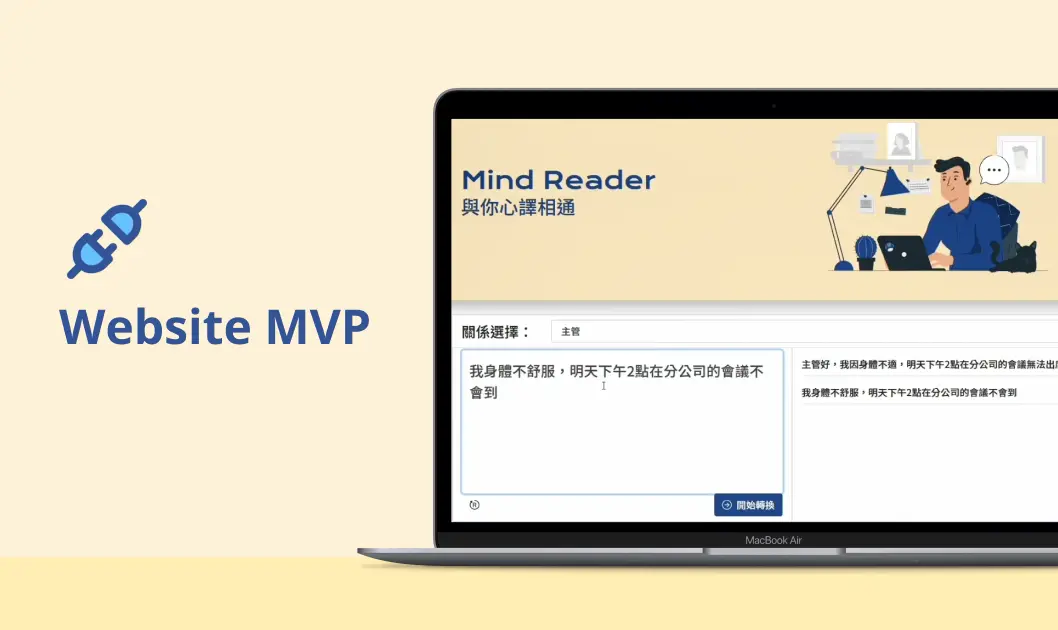
The page sends the original message and relationship type to the rewriting API, then lists the returned options with a copy button for each. Choosing the relationship adds a step, but it lets users control who a rewrite is for. They can switch between a friend and a manager without retyping the message.
The web MVP source also includes a separate trending topics panel. Its frontend requests suggestions from a recommendations API, displays conversation starters with a copy button, and offers a search for each associated keyword.
Web MVP Source Code
GitHub
Mobile keyboard prototype | See suggestions as you type
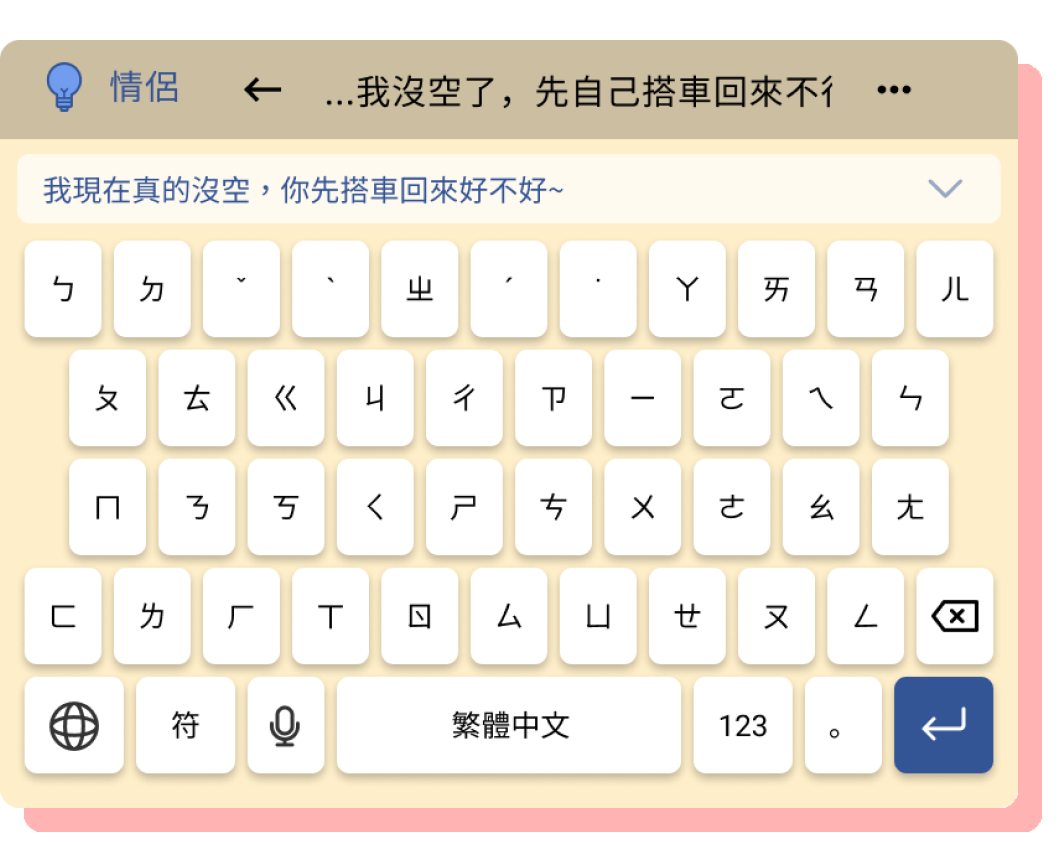
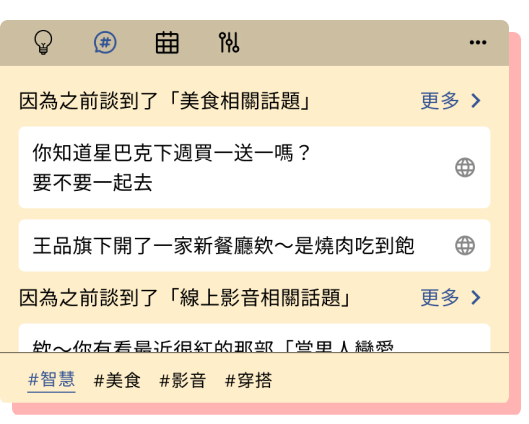
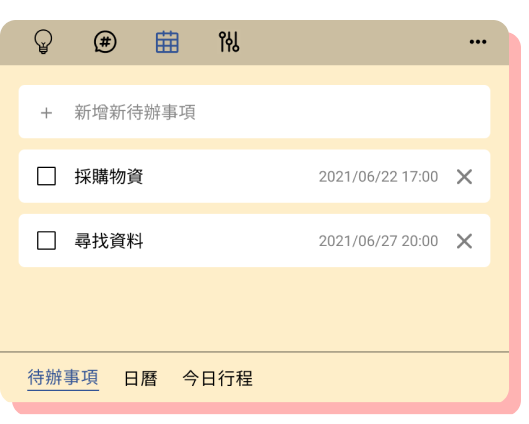
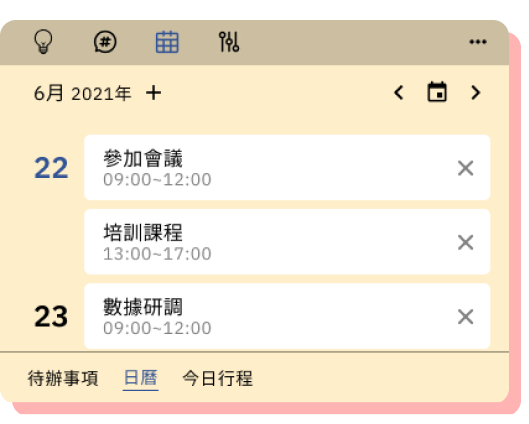
The prototype keeps a familiar Zhuyin keyboard layout and places the recipient relationship and suggested wording above the keys. It explores whether users can stay in their chat while they type and choose a suggestion. The prototype also includes screens for topic categories, to-do items, and a calendar.
Keyboard Prototype in Figma
Figma
Project Demo Video
Original system design | Text rewriting and LINE Bot
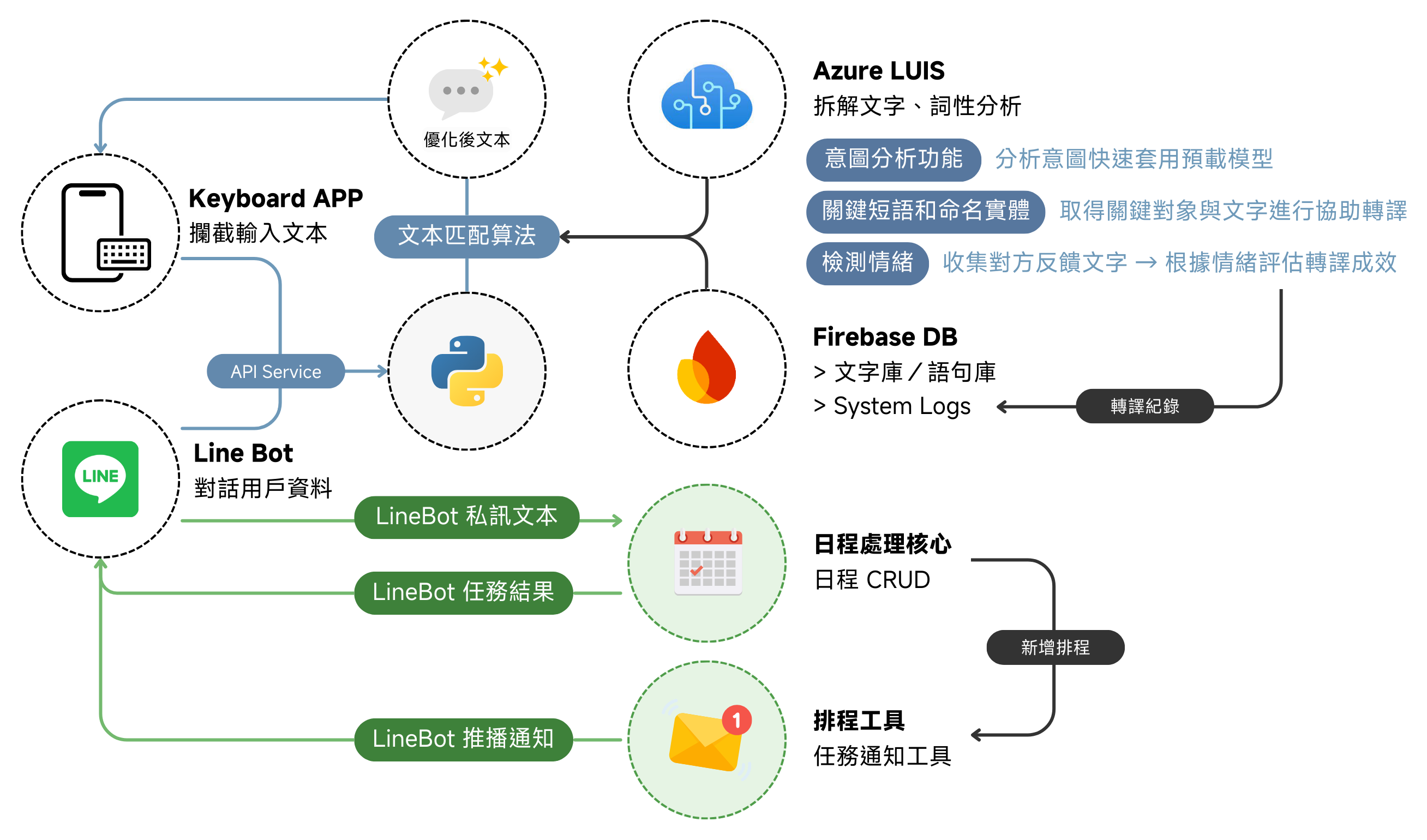
The original design separated the input interface from the rewriting service. The service used Azure LUIS to identify intent and key details, then matched text against a Firebase phrase library to assemble suggestions. The diagram also shows rewrite logging and a proposed reminder flow, with LINE Bot receiving calendar requests and delivering notifications from a scheduler.
Original API flow | Send a message and receive suggestions
.DDGOHVq1.jpg)
In this design, the keyboard would send the text being typed to MindReader Core, LINE Bot would supply a user identifier, and the service would return suggested wording to the keyboard. The diagram also shows a plan to collect the other person’s reply as feedback for evaluating the rewrite.