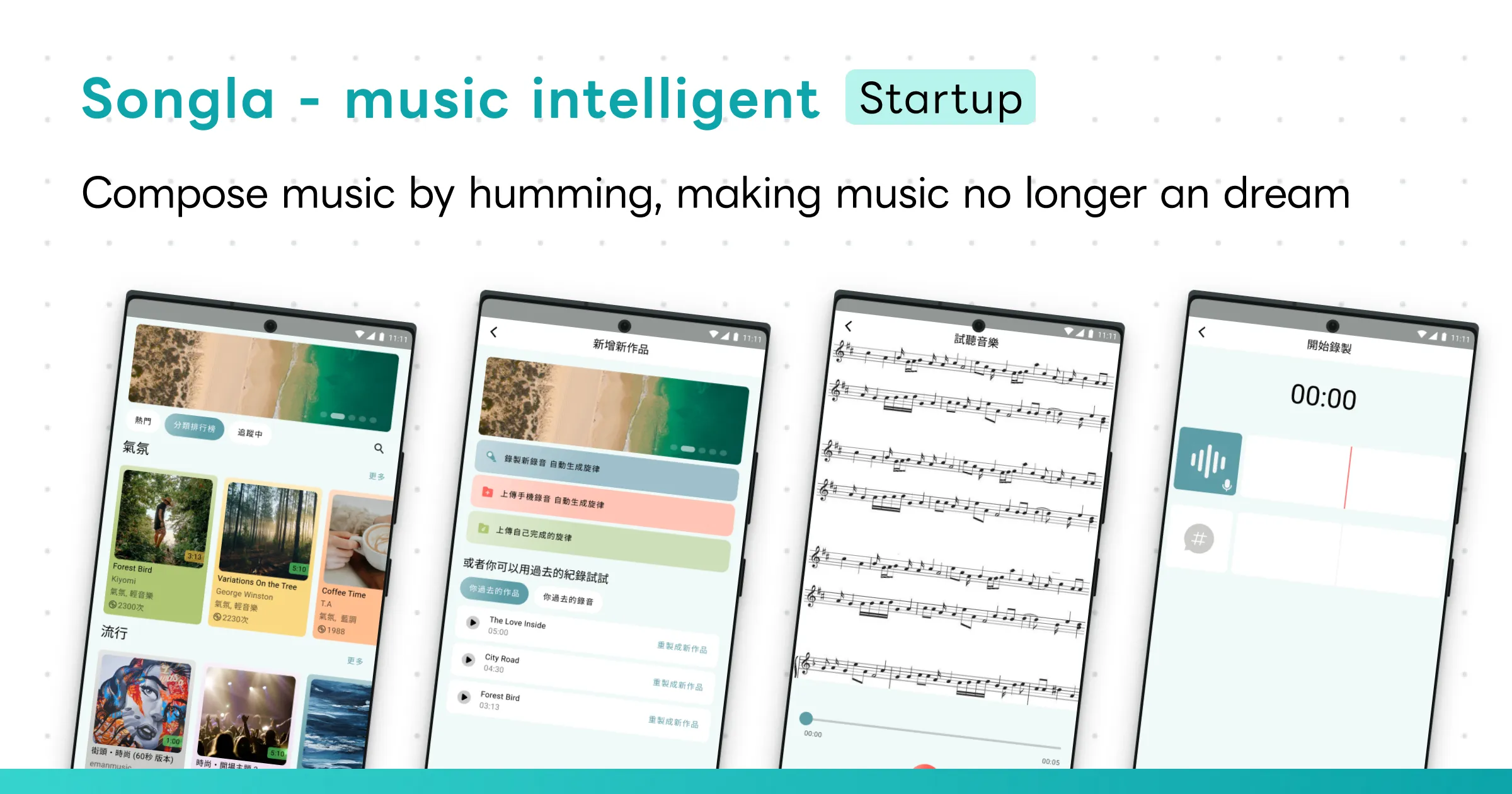
Project Overview
Open the Songla prototype and choose “With vocals” or “Instrumental only.” Choose vocals if you want to keep the voice in the piece, or go instrumental to hear just the accompaniment. Both routes start with a hummed melody, then take you through listening to the result and confirming it.
Songla gives people a way to capture a melody when it comes to them and decide what to make of it afterward. The public prototype uses prerecorded vocals and accompaniment to demonstrate the workflow and let people hear sample results.
My Role
I was Songla’s product designer and technical lead. I interviewed five users and turned their needs into features and workflows. I built interactive Figma prototypes and an atomic design system for layout, color, typography, and icons, then worked with engineers on the MVP. I also documented the product architecture and prepared pitch decks.
Awards
Passed Ministry of Education Youth Affairs U-start Innovation Entrepreneurship Phase 1 Program
Received NT$500,000 in Funding
2021 National University Smart Innovation and Cross-Domain Integration Creative Competition
Honorable Mention
2021 Taoyuan Startup Star Competition
Honorable Mention
From finding inspiration to recording
In the interviews, some people wanted to make music but struggled to get started. Others wanted to share their work with fellow creators. I used those needs to plan the navigation. Explore offers music from different genres for inspiration. Studio sits in the center of the navigation bar for when you have a melody to capture. The prototype’s Feed gives creators a place to share and respond to each other’s work.
In Studio, the prototype first asks whether to keep the vocals, then opens the matching workflow. The Figma preview screen groups Confirm, Choose instruments again, and Record again so users can listen and return straight to the step they want to change.
Try the public web prototype
Vocals and instrumental-only workflows
Figma prototype | Explore, record, and preview
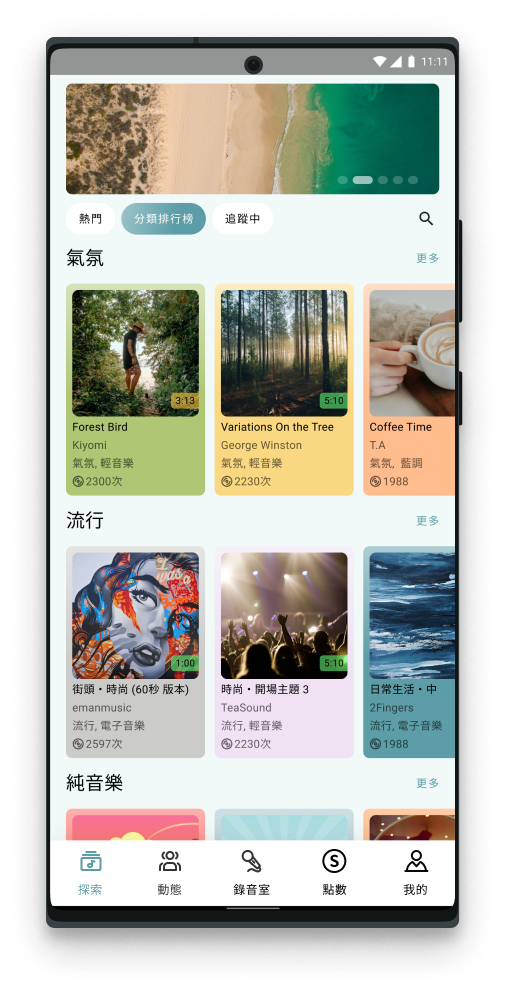
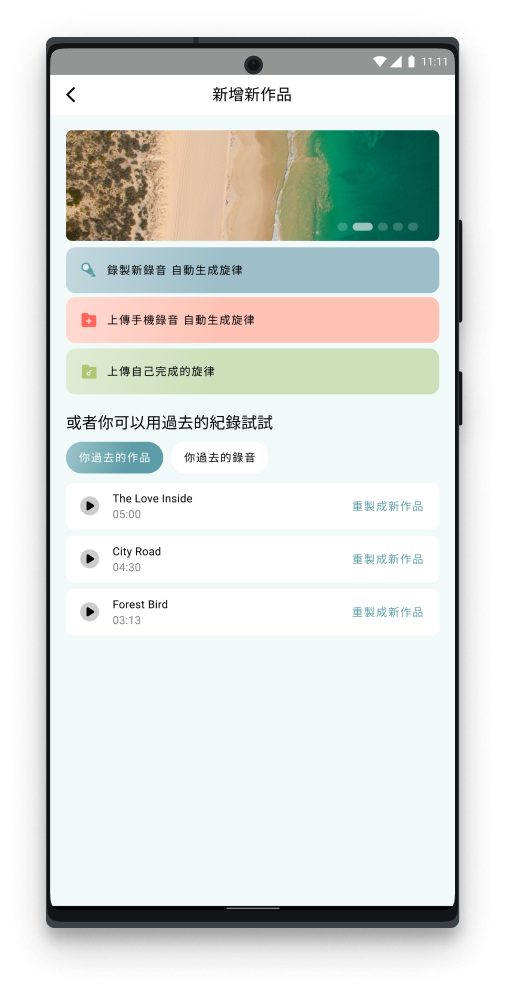
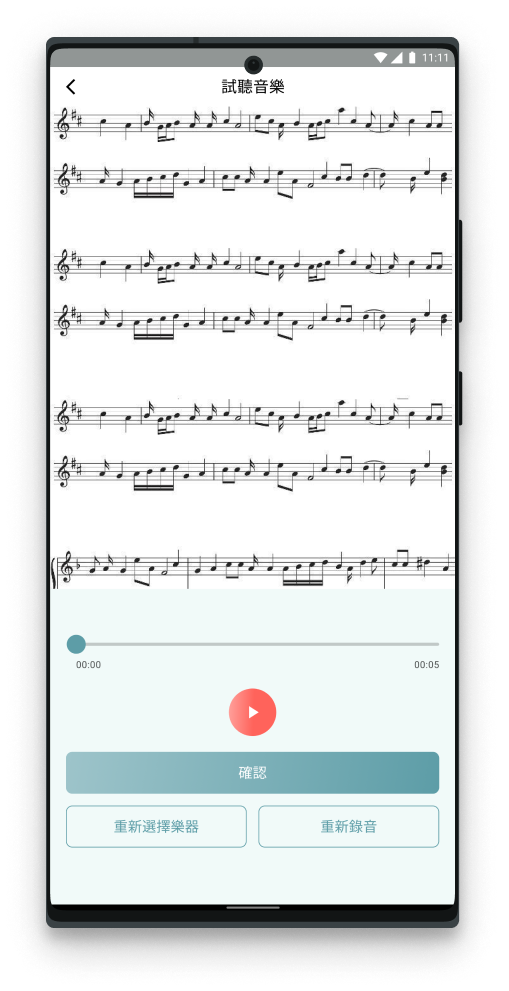
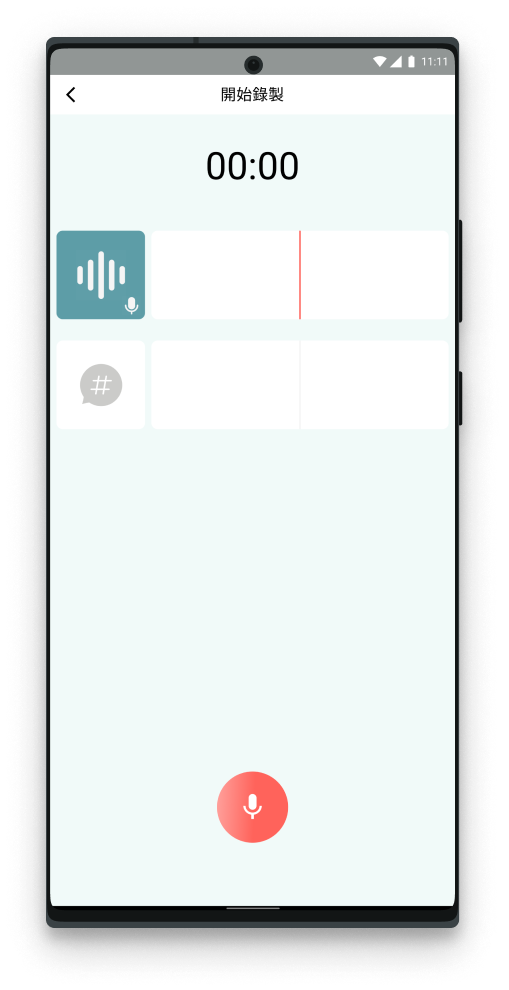
The Figma preview screen puts sample sheet music beside the playback controls so we could discuss what users should see while listening. In the planned sharing flow, users would confirm the finished piece and then post it to the Feed or download a copy.
View the Figma prototype
Figma
Project demo video
Public architecture | From humming to audio and sheet music
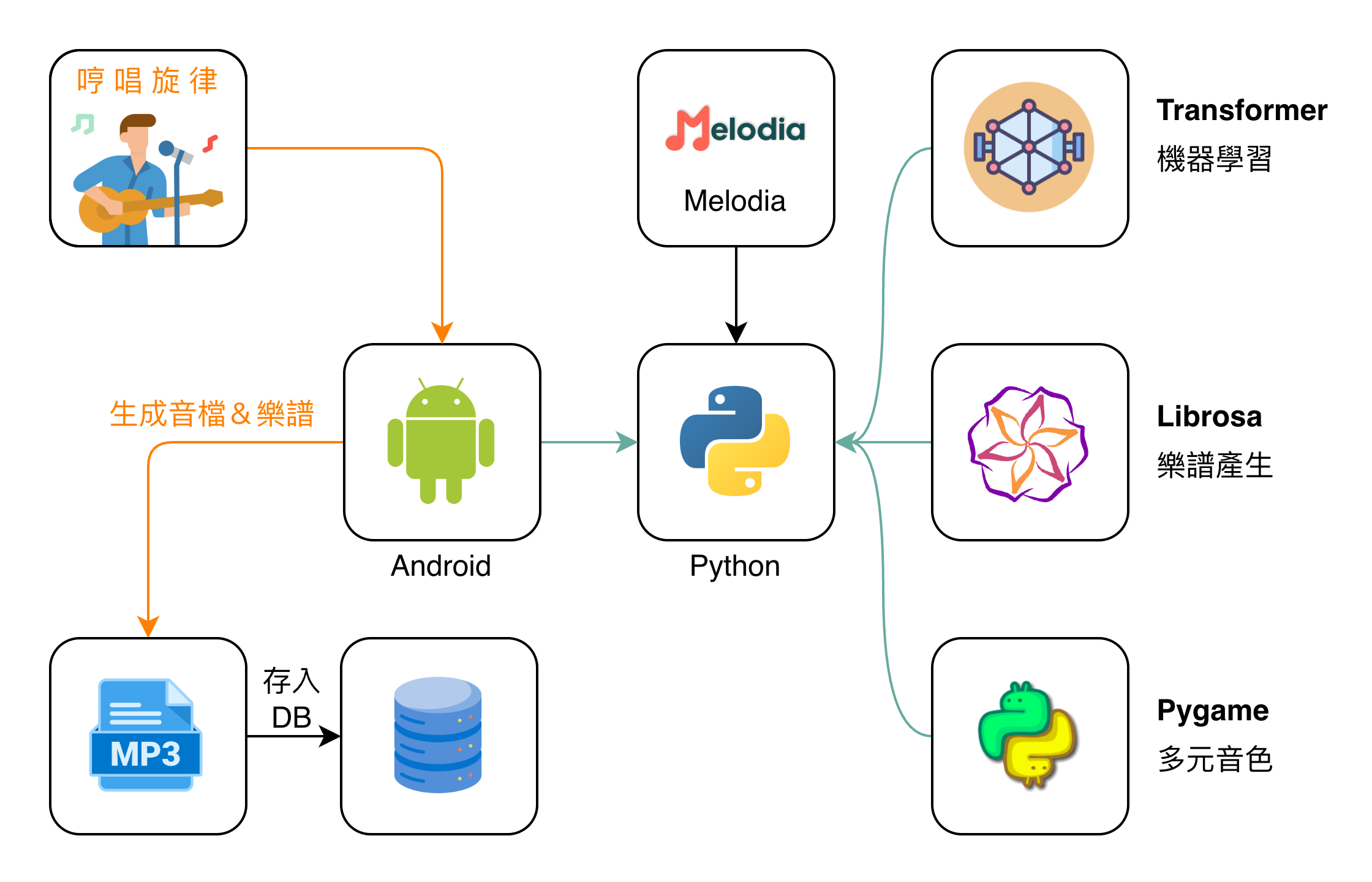
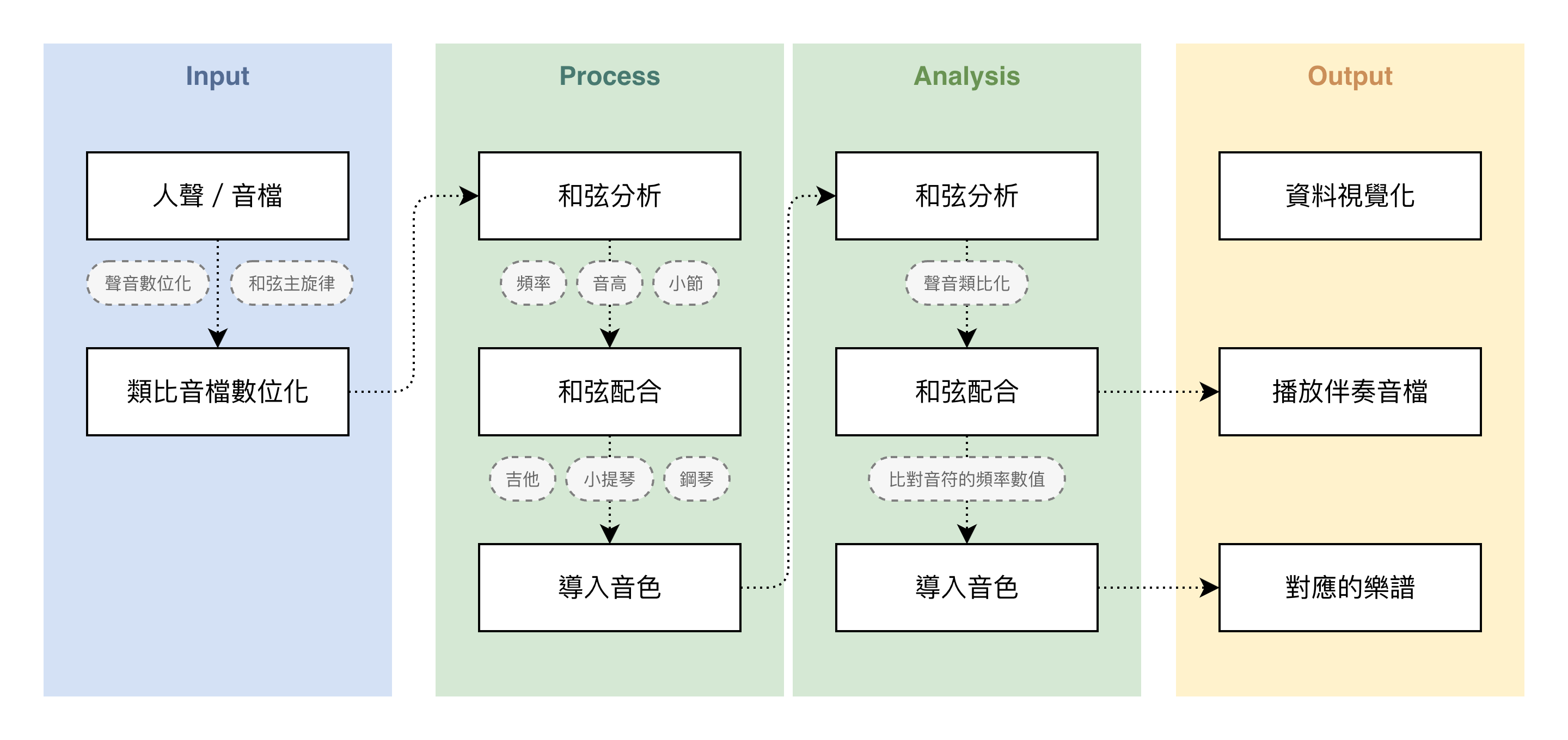
In the design, a recording goes to the backend, which handles pitch, measures, and chords before applying the chosen timbre. The planned flow returns audio for preview and shows the corresponding sheet music. The public web prototype demonstrates preview playback with existing audio files. The two diagrams document the planned audio processing.
Navigation design | Explore, create, and share

A design system for consistent controls
I used atomic design to define colors, type, icons, and basic components first. I then used those building blocks for the music cards in Explore, the record button, and the preview controls. Shared layouts and icons made actions feel familiar across screens and let me update reusable components as the prototype evolved.
Color
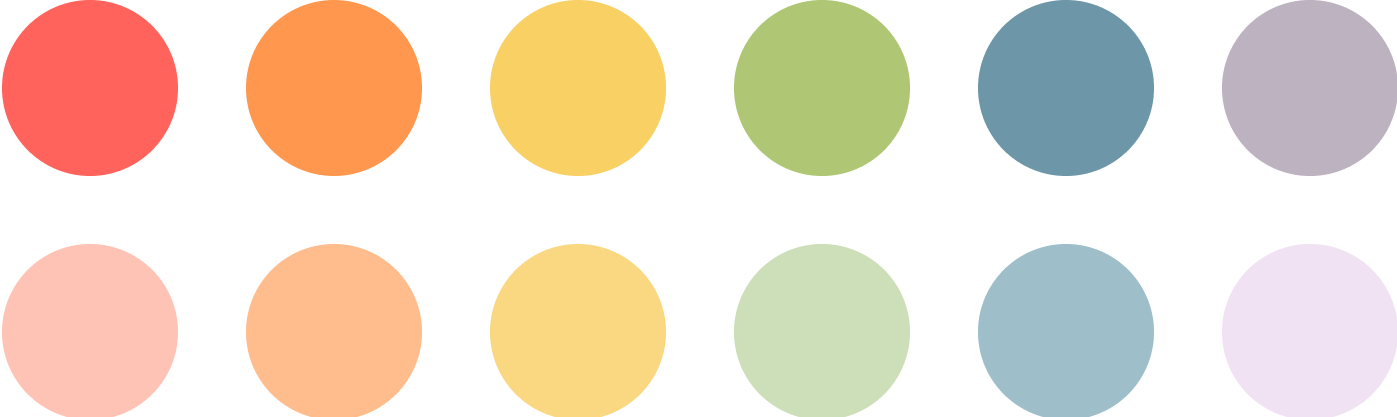
The primary color marks controls. Other colors pair with cover art and different kinds of content.
Gradient backgrounds

Overlays and gradients separate the background from the content.
Icons
The icons use the primary color and gradients. They come from IconPark, Material Icons, and my own designs.