When I think about knowledge management now, the question I care about is whether the things I already captured can become useful again later. Taking more notes is not the hard part.
I used to manage knowledge in Notion. When I found an article, I would copy it into Notion, write down my thoughts, assign a few tags that felt relevant, and later use those tags to search the material back out. That workflow worked, but it depended heavily on whether I tagged things correctly in the moment and whether I kept organizing them afterward.
So the principle I use now is: preserve the source first, layer my own thinking on top, and let AI organize last. The human side keeps the real source and the judgment made at the time. AI, under clear rules, helps turn those fragments back into a knowledge base that can be searched, maintained, and expanded over time.
Core Logic: The Real Burden Is Maintaining Structure
Writing notes is not the hardest part. The real work comes afterward: where should this note live, which topics does it connect to, should an existing page be updated, does this need to become a new concept, and has an older conclusion been changed by new material?
If all of that has to be done manually, the knowledge base quickly becomes another job. The more notes there are, the higher the maintenance cost. The finer the categories get, the easier it is to give up before the organizing even starts. That is why I used to feel that knowledge management was valuable, but hard to keep up over the long term.
The Notion tag workflow did solve part of the problem. I could use tags to search for related material. But tags are more like an index than understanding. They do not actively connect articles, my reflections, and older concepts together. They also do not remind me which pieces should be merged, split, or updated.
The most useful thing AI brings here is taking over the maintenance work I am most likely to postpone: adding links, organizing indexes, checking duplicated concepts, updating MOCs, or pointing out which pieces should be merged, split, or verified again.
My Core Method: Preserve Sources, Add Thinking, Let AI Organize
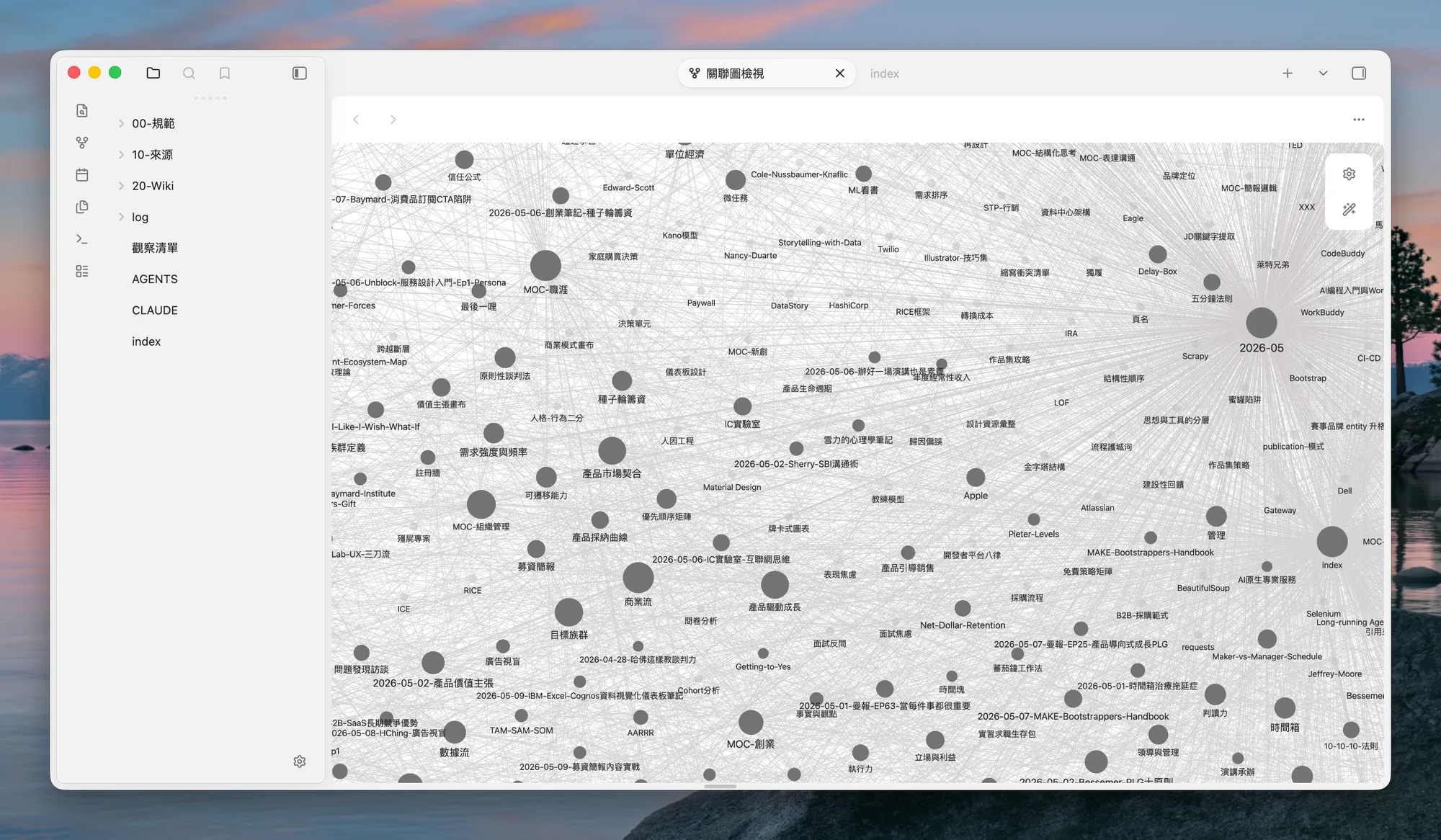
The underlying structure I use is closer to the LLM Wiki idea described by Karpathy. It separates sources, the organized Wiki, rules, and operation logs, so both the human and the AI know where each type of content belongs.
The first layer is raw sources. Articles, transcripts, screenshots, and thought fragments are preserved first. I do not rush to turn them into polished conclusions. The point of this layer is traceability. Any insight that gets organized later should be able to point back to where it came from.
The second layer is my own understanding. After reading, watching, or thinking through something, I add my own judgment: where I agree, where I am unsure, and which older concepts it may connect to. Storing information is not enough. The knowledge base also needs to preserve how I understood that information.
The third layer is where AI comes in. Following the Schema, Dictionary, MOC, and log rules, AI connects the new material back into the Wiki. If it should update an old page, it updates the old page. If it should become a new concept, it creates one. If it belongs in an index, it adds it there. That is what I mean by “let AI organize last.”
How Sources Come In: Obsidian, a Web Reading Layer, and Memo
I choose Obsidian because it keeps notes as local Markdown files. The knowledge base is not locked inside a SaaS database, and it is much easier for Git, scripts, Codex, or other AI agents to read and operate on those files.
But I no longer treat iCloud sync as the main storage or display path. The core knowledge base is still a set of Markdown files that agents can operate on. When I need access from another device, I now prefer turning it into a web reading layer instead of syncing the entire vault to every device.
The reason is practical. Obsidian’s mobile editing experience is good, but I almost never edit these deeper notes on my phone. Most of the time I only need to browse, search, and look up a concept. Once the text volume grows, forcing everything through sync becomes slower and less intuitive.
So I now separate “storage and editing” from “display and reading.” The data layer stays somewhere Git, scripts, Codex, and Multica can read and write predictably. The reading layer is a website, so a phone or another device only needs to open, search, and browse. That fits my actual usage better than turning every device into an editing endpoint.
How the Web Layer Works: Quartz, GitHub, and Cloudflare Workers
SecBrain is not an Obsidian vault I simply dropped into a sync folder. I organize it as a private GitHub repo. The content/ directory holds the publishable knowledge base: 00-規範, 10-來源, 20-Wiki, log, index.md, and 觀察清單.md. With that structure, it stops being a loose notes folder. Agents can edit Markdown, Git can keep history, and the build pipeline can deploy it as a website.
The web layer uses Quartz to build the Markdown files into a static site, then serves it through Cloudflare Workers Static Assets. Once GitHub is connected, a new commit on main can trigger Cloudflare Workers Builds to run npm run install-plugins && npx quartz build, then deploy the generated public/ output. For me, that is much clearer than syncing the full vault to every device. GitHub becomes the versioning and deployment boundary; the website becomes the reading entry point.
I also make mobile-specific tradeoffs. The site title, search, reader mode, current-page table of contents, and Explorer live inside one floating menu. On mobile, the graph runtime does not initialize, and contentIndex.json keeps only the first 384 characters of each page as a preview, instead of pushing the whole vault’s full text and graph into the browser at once. I am not trying to make the mobile site a weaker version of the desktop one. I am letting the phone do what it is good at: quick search, browsing, and lookup, not primary editing.
Video Sources: Turning YouTube into Text with Memo
When the source is YouTube, I do not simply drop the video link into the knowledge base. Video is hard to search, quote, and reorganize. I first turn it into a text source that can be read.
Right now I use Memo for speech analysis and subtitle extraction. Memo does not draw conclusions for me. It turns the video into a transcript, keeps the video link, preserves the necessary time context, and gives me source material that can be referenced later.
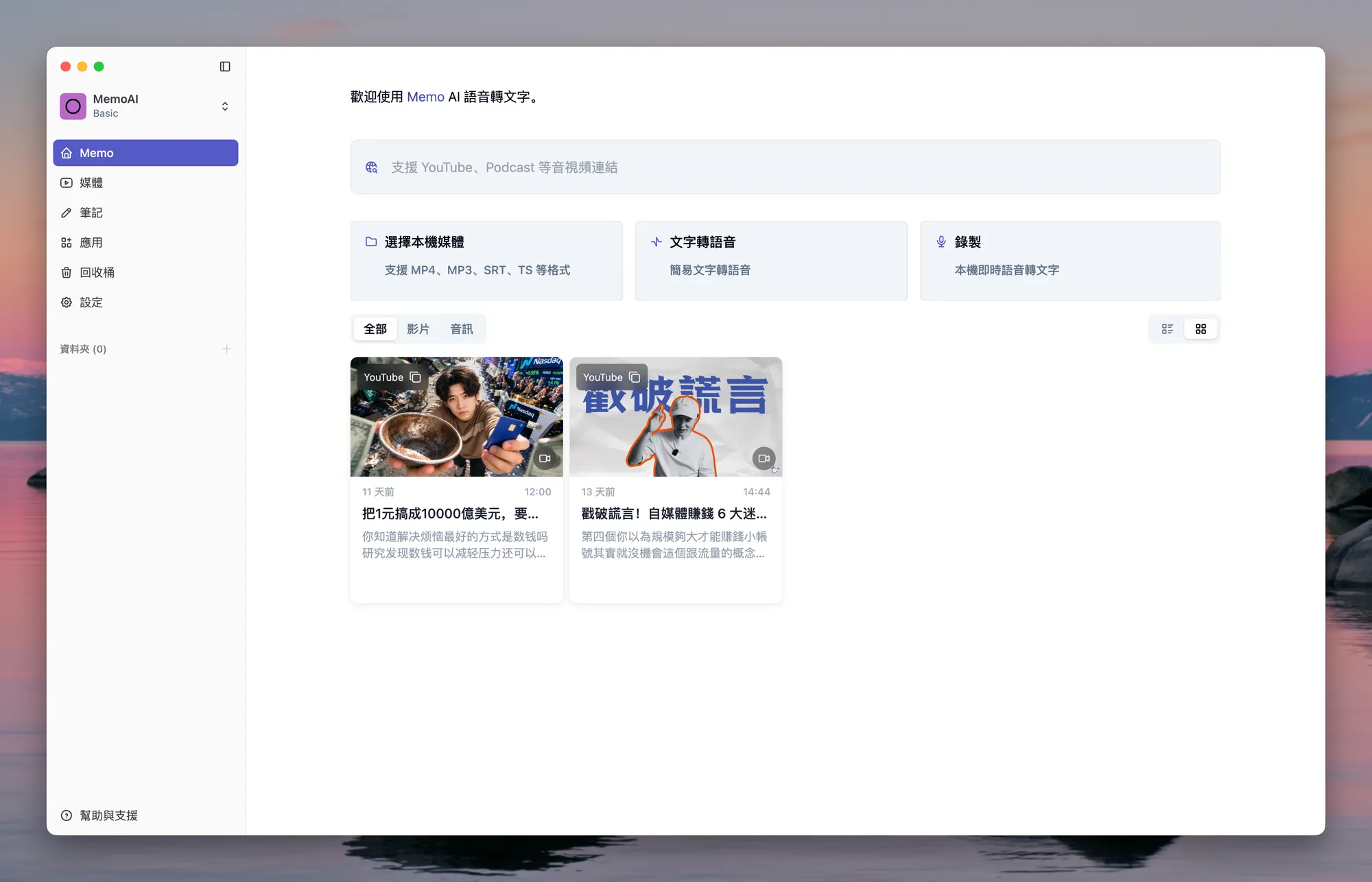
Then I layer my own thinking on top: what inspired me in the video, what was different from my previous understanding, and which parts are worth revisiting later. By the time it enters the Wiki, the video summary is only the draft; my judgment becomes part of the record.
Finally, I let the LLM absorb it according to the LLM Wiki rules. It can decide whether the content should update an existing concept, become a new page, link to a certain MOC, or stay in the source layer until there is a better reason to organize it.
This workflow turns “watched” into material I can reuse. Once the video is converted into reliable text and combined with human judgment, AI can help categorize, link, and recover it later as material that remains useful inside the knowledge base.
How I Talk to the Dictionary Through Codex and Multica
My interaction model is not opening a generic chatbot and hoping it understands my knowledge base. I create a dedicated role in Multica, so it knows it is working with a specific Wiki instead of handling a context-free chat.
That role reads a dedicated Dictionary. It understands the terms in the knowledge base, the folder rules, the Wiki structure, MOC entry points, and common interaction patterns. When I ask a question, it considers the question, the Dictionary, the existing Wiki, and the current task together.
For example, I might ask: “I have been thinking about the relationship between AI and knowledge management lately. Help me find which related knowledge points already exist in SecBrain, and which parts have not yet become stable conclusions.” AI is useful here because it helps me see what I already know, what is still missing, and which concepts can be connected.
This can work outside Multica. As long as a system lets a role read the relevant Dictionary, knowledge base content, and interaction rules, it can also connect to Codex, CoWork, or other agent systems. Multica is simply my current entry point. What matters is having all three pieces together: a dedicated role, a dedicated knowledge base, and a repeatable organizing workflow.
Keeping the Knowledge Base Healthy: Ingest, Query, Lint
Creation is only the start. Maintenance decides whether a knowledge base remains useful over time, so I split the knowledge base bot’s work into three recurring actions: ingest, query, and lint.
Ingest brings new material into the system. It first preserves the original source, then checks what the content represents, whether it should update an existing concept, whether it belongs in a certain MOC, and finally writes it into the Wiki layer and log.
Query means returning to the knowledge base with a question. AI should not answer only from chat memory. It should look for MOCs, indexes, or relevant pages first, and check original sources when needed. If a good answer creates new links or insights, those should flow back into notes instead of disappearing into the chat history.
Lint is the periodic health check. Knowledge bases accumulate dead links, duplicated concepts, outdated claims, inconsistent naming, and the same idea drifting across different pages. Once notes are also meant to be used by AI, those issues directly affect answer quality later.
The purpose of these three actions is to prevent the knowledge base from turning into another kind of chat log. New material needs a way in, old material needs to be retrievable, and the system itself needs regular checks. Otherwise AI is only helping me produce more text.
After GitHub entered the workflow, these three actions also gained a clearer version boundary. Ingest can become a Markdown diff instead of disappearing into chat history. Lint fixes can be reviewed. If one cleanup pass goes in the wrong direction, I can go back through commit history. That makes knowledge management feel more like maintaining a long-running project, rather than moving data between apps.
For agents, GitHub adds another practical advantage: I can ask an agent to open a branch for a topic, make a focused change, run checks, and then review the diff or PR. That is much easier to audit than letting a SaaS document change silently, and it fits long-term accumulation better.
Who This Workflow Is For, and Its Boundaries
- It fits people who already have an Obsidian, Markdown, or local-notes habit. If all your data lives only inside a closed SaaS tool, there is less room for an AI agent to work directly.
- It fits people who want to turn what they have read, watched, and thought about back into searchable material. If all you need is a quick summary of a single article, a normal AI summarizer is enough.
- Raw sources and organized results need to stay separate. The original text should not be overwritten by AI, or it becomes hard to tell whether a conclusion came from the source or from AI inference.
- Important judgments still need to come back to human understanding and confirmation. AI can help archive, link, and check, but it should not decide for me which conclusions are stable knowledge.
- MOCs, indexes, Schema, and logs need to exist consistently, so the next AI session understands the current shape of the system instead of guessing from scratch every time.
- Video transcripts should preserve the video link and necessary time context. My own thoughts should stay distinct from the original transcript.
- If the phone is mainly for reading, I do not need to sync the entire knowledge base to it. A web reading layer is usually more intuitive than cross-device vault sync.
- Storage, editing, and display are worth separating. Markdown files are the data layer agents can operate on; the website is the reading layer, so browsing from mobile does not have to pull the whole workflow back into a sync service.
- The web layer needs to be designed together with access control. Once content goes online, I need to decide what can be published, what stays only in the repo or external backups, and when a permission layer such as Cloudflare Access is required.
- This workflow consumes more tokens because each interaction may read the Dictionary, MOCs, Wiki pages, and source summaries. It fits deep organizing and exploration. It is not necessarily worth running fully for every tiny note fragment.
What Notion and Obsidian Are Each Good For
This brings us back to tool choice. Notion is not bad for knowledge management. It is closer to a collaborative document system. When the goal is multi-person editing, multi-person maintenance, and centralized management of documents or project material with a clear theme, Notion works very well. It is a good document hub, project management system, or shared team database.
But if the goal is a personal digital brain, especially one connected to an agent system on your own computer, Notion is less direct. The data lives in SaaS, and AI usually needs to go through APIs, permissions, and data structure conversion to read or write it. That adds maintenance cost.
Obsidian’s advantage is that it is natively a collection of Markdown files. As long as an AI agent can read and write files, it can read the notes, edit them, split them, add links, or organize MOCs. That is why I keep my personal knowledge base in Obsidian and Markdown: it feels more like a local workspace that both humans and AI can operate on.
| Dimension | Notion Is Better For | Obsidian Is Better For |
|---|---|---|
| Use case | Multi-person editing, shared management, team document collaboration | Personal ownership, long-term accumulation, knowledge bases connected to AI agents |
| Content type | Documents with clear topics, project material, management pages | Thought fragments, Markdown notes, MOCs, evolving concept networks |
| AI integration | Usually requires APIs, permissions, and data structure conversion | If AI can read and write files, it can organize and edit directly |
| Main strength | Collaboration, database views, project management, and document management | Local files, Markdown, and direct access for toolchains and agents |
| Best fit | People who need to co-edit documents, manage projects, or maintain a team knowledge base | People who want a personal digital brain or second brain where AI helps organize |
Closing: A Knowledge Base as a Human-AI Workspace
AI cannot understand knowledge for me. What it can do is help me keep up the organizing work I am most likely to drop.
Understanding, choosing, and judging are still my job. AI can help connect my thoughts back into structure, write concepts surfaced in conversation back into the Wiki, and periodically check whether the system is starting to drift.
What remains is a place where both I and an agent can come back to work, with fixed entry points for querying, organizing, and checking.