I use Python mainly for backend development and data processing, with FastAPI as my primary framework. This post covers my Python project environment setup: dev environments, package management, code quality tools, containerized deployment, and more.
Development Environments
I use different development environments depending on the situation:
VS Code
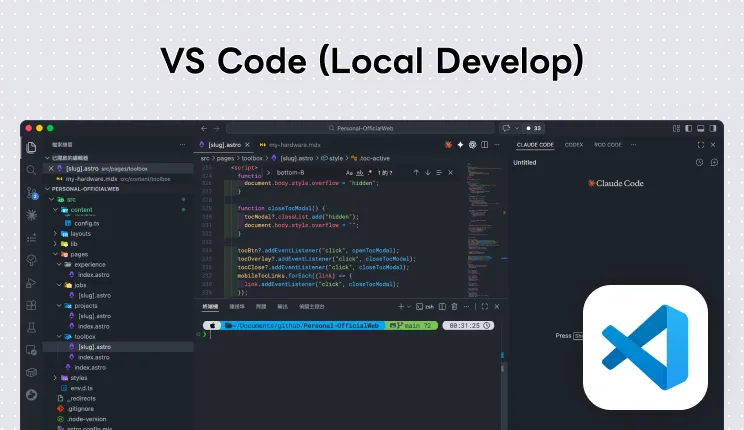
The vast majority of my local API development happens in VS Code. With the Python extension and Jupyter extension, it handles everything from backend code to opening Notebooks for data processing.
VS CodeDeepnote
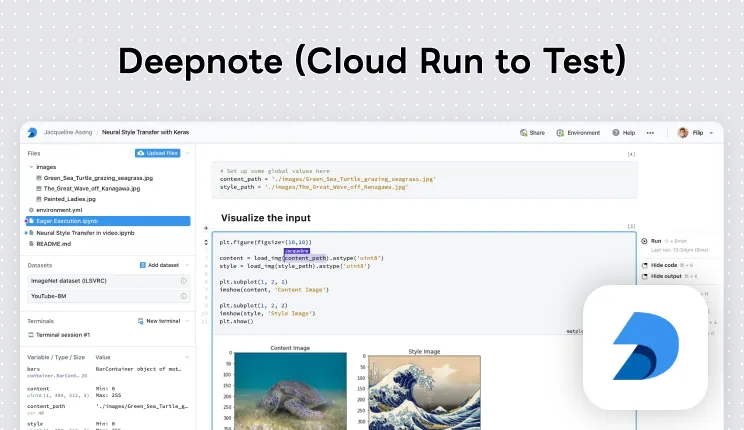
A cloud Notebook environment I use for data processing. Deepnote has a lot of visualization effects built in, so you can often present data without installing extra visualization packages — great for starting work quickly across devices or collaborating with a team.
DeepnoteGoogle Colab
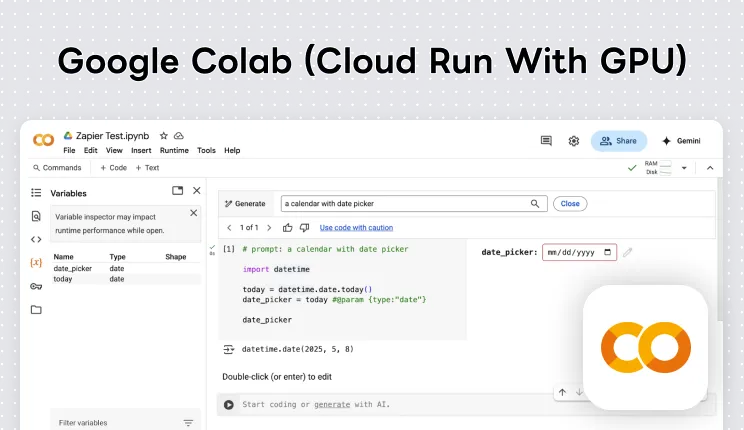
Google’s cloud Notebook environment, which I use when I need to rent GPU servers for compute-intensive tasks like training machine learning models.
Google ColabVS Code Extensions
Here are the extensions I use alongside VS Code for Python development:
Python
Microsoft’s official Python extension, providing IntelliSense, code navigation, debugging, and testing. The essential starting point for any Python project in VS Code.
VS Code MarketplaceBlack Formatter
A Python code formatter with a consistent, opinionated style — it eliminates the need for team debates about formatting, and auto-formats on save.
VS Code MarketplaceRuff

A Python linter and formatter written in Rust — extremely fast, and capable of replacing Flake8, isort, and other tools. Highlights code issues in real time and offers auto-fix suggestions. My primary Python code quality tool.
VS Code MarketplaceJupyter

Lets VS Code open and edit Jupyter Notebooks directly without launching the Jupyter web interface separately. Very convenient for data analysis or quickly validating ideas.
VS Code MarketplacePostman

Postman’s VS Code extension lets you send API requests and view responses through a UI directly inside the editor — no switching to the Postman desktop app. Great for quickly validating API endpoints during backend development.
VS Code MarketplaceREST Client
If you prefer writing out API requests rather than using a UI, you can write .http files directly to send requests. The advantage is these files can be version-controlled with the project, making them easy to share and reuse across the team.
For more VS Code extension recommendations, see:
 VS Code Extension Recommendations
Package Management and Environment Setup
UV
My primary Python package manager right now is UV. Written in Rust, it installs and resolves dependencies incredibly fast — noticeably faster than pip or Poetry in practice. Paired with uv.lock, you can lock dependency versions and ensure consistency across environments.
The basic workflow looks like this:
# Initialize a project
uv init

# Add dependencies
uv add fastapi sqlalchemy

# Sync the environment
uv sync
Poetry (Backup)
Before switching to UV, I used Poetry for package management. Some of my older projects still run on Poetry, but all new projects use UV. Poetry has a mature ecosystem and solid documentation — if you haven’t tried UV yet, Poetry is still a great choice.
# Initialize a project
poetry init

# Add dependencies
poetry add fastapi sqlalchemy

# Add dev dependencies
poetry add --group dev pytest black ruff

# Install all dependencies
poetry install

# Run a command in the virtual environment
poetry run uvicorn app.main:app
Virtual Environments
When using UV, virtual environments are automatically created in a .venv folder inside the project directory. I use a .python-version file to specify the Python version for a project — most of my projects currently use Python 3.10.
# Create a virtual environment (UV reads .python-version automatically)
uv venv

# Activate the virtual environment
source .venv/bin/activate

# Create with a specific Python version
uv venv --python 3.10

# Deactivate the virtual environment
deactivate
pyproject.toml Configuration
pyproject.toml is the core configuration file for my Python projects. In addition to dependency management, Ruff and Black configuration live here too. Here’s a typical setup I use:
pyproject.toml
[project]
name = "my-project"
version = "0.1.0"
requires-python = ">=3.10"
dependencies = [
    "fastapi",
    "sqlalchemy",
    "uvicorn",
    "pydantic",
]

[tool.ruff]
line-length = 100

[tool.ruff.lint]
select = ["E", "F", "I"]
ignore = ["E501"]
Code Quality
Ruff
My primary Python linter and formatter is Ruff — also Rust-based, so very fast. It can replace Flake8, isort, and several other tools; one tool handles both code checking and import sorting.
My typical configuration in pyproject.toml:
line-length: 100: A line width of 100, a bit looser than the default 79 — more readable on modern screens.select: ["E", "F", "I"]: Enables basic error checking (E), pyflakes checks (F), and import sorting (I).
# Check for code issues
ruff check .

# Auto-fix fixable issues
ruff check --fix .

# Format code (Ruff's built-in formatter)
ruff format .
Black
The formatter I use alongside Ruff — consistent, opinionated style that eliminates discussions about code format. Auto-formats on save to keep the entire project’s code style uniform.
# Format the entire project
black .

# Check without modifying (show diff only)
black --check .

# Format a specific file
black app/main.py
Formatting in CI/CD
In my CI/CD pipeline, I add formatting and lint check steps to make sure any code merged into the main branch meets the standards. If a check fails, the pipeline fails — preventing code that doesn’t meet formatting requirements from reaching production.
GitHub Actions · CI/CD — .github/workflows/lint.yml
name: Code Quality

on: [push, pull_request]

jobs:
  lint:
    runs-on: ubuntu-latest
    steps:
      - uses: actions/checkout@v4
      - uses: astral-sh/setup-uv@v4
      - run: uv sync
      - run: uv run ruff check .
      - run: uv run ruff format --check .
      - run: uv run black --check .
With this setup, every push or pull request triggers the checks automatically — no more manually reviewing formatting issues.
Containerization and Deployment
Docker Compose
All my Python projects use Docker Compose to manage development and deployment environments. A typical configuration includes:
- Application container: The Python application itself, using
python:3.10-slimorpython:3.12-slimas the base image. - PostgreSQL 16: My primary database, using
postgres:16-alpine. - Redis 7: Used for caching or task queues, using
redis:7-alpine.
Containers communicate over a custom Docker network to ensure service isolation.
On Mac, the container tool itself changes the feel of this setup. I now use OrbStack instead of Docker Desktop, and the broader Mac development stack is covered in my full-stack Mac dev tools.
Uvicorn
FastAPI projects are deployed using Uvicorn to start the ASGI server. Inside a Docker container, it’s typically started like this:
uvicorn app.main:app --host 0.0.0.0 --port 8000Dockerfile Pattern
For production Dockerfiles, I use UV with a frozen lockfile to install dependencies, ensuring installed versions exactly match the development environment. I also create a non-root user to run the application, improving security:
Dockerfile
FROM python:3.10-slim

# Install system dependencies
RUN apt-get update && apt-get install -y --no-install-recommends \
    libpq-dev curl gcc \
    && rm -rf /var/lib/apt/lists/*

# Install UV
COPY --from=ghcr.io/astral-sh/uv:latest /uv /usr/local/bin/uv

# Create non-root user
ARG UID=1000
ARG GID=1000
RUN groupadd -g $GID appuser && useradd -u $UID -g $GID -m appuser

WORKDIR /app
COPY pyproject.toml uv.lock ./
RUN uv sync --frozen

COPY . .
USER appuser

CMD ["uv", "run", "uvicorn", "app.main:app", "--host", "0.0.0.0", "--port", "8000"]
Development Workflow
Data Processing
For data processing, I primarily use Jupyter Notebooks. The advantage of Notebooks is that you can execute code step by step and see results at each step immediately — great for file input, data testing, and processing workflows.
Pandas
The core data processing tool. Almost all data reading, cleaning, transformation, and analysis goes through Pandas. Whether it’s CSV, Excel, or JSON format data, Pandas loads and manipulates it quickly.
Visualization Tools
After processing data, you usually need visualization to present results. I mainly use ggplot2-style syntax to build charts through layer composition — readable code with strong expressive power.
That said, if I’m working in Deepnote, it has quite a few visualization effects built in. Often I don’t need to install any extra visualization packages to display the data directly.
POC and Prototype Demos
When I need to quickly build an interactive prototype or POC (Proof of Concept), I use Streamlit. It lets you build a web app with a UI using pure Python — no frontend code required. It’s ideal for presenting data processing results or validating ideas.
API Development
For backend development, I follow this sequence:
1. Plan the Database Schema
The first step is planning the database structure and defining the relationships between tables. Once the planning is done, I write the corresponding ORM Models using SQLAlchemy.
2. Database Migration
After the ORM Models are ready, I use Alembic to manage database migrations. Tracking each schema change through version control ensures the development and production database schemas stay in sync.
# Generate a migration script
alembic revision --autogenerate -m "add users table"

# Run the migration
alembic upgrade head
3. API Development
Once the database migration is complete, I move into the API layer. FastAPI as the base, paired with Pydantic for request and response data validation.
4. Flow Testing
After API development, I run basic flow tests with Postman to confirm that each endpoint’s requests and responses behave as expected.
5. Unit Testing
After flow testing passes, I write unit test scripts to test individual functional modules more thoroughly, verifying code stability and correctness.
6. Documentation Delivery
After all testing is complete, I compile API documentation to hand off to the frontend team. FastAPI ships with built-in OpenAPI documentation (Swagger UI), which can be given directly to the frontend for reference and testing.
Main Tech Stack Summary
A quick summary of the tech combinations I use for Python development:
Backend Development:
- Framework: FastAPI
- ORM: SQLAlchemy (with AsyncIO)
- Database: PostgreSQL 16
- Cache: Redis 7
- Data Validation: Pydantic
- Database Migration: Alembic
- Package Management: UV (Poetry as backup)
- Code Quality: Ruff + Black
- Deployment: Docker Compose + Uvicorn
Data Processing:
- Dev Environments: VS Code / Deepnote / Google Colab
- Data Processing: Pandas
- Visualization: ggplot2
- POC Prototyping: Streamlit