Before sending off a long task, I usually check which tool fits the work and how much room each one still has. Whether Codex has enough quota, when Claude Code refreshes, and whether Antigravity is the better place for this task can all change whether I adjust the model or switch tools.
When that state is buried inside separate dashboards, I usually do not check it until something stops halfway through. OpenUsage brings that check back into the macOS menu bar, giving me one quick checkpoint before I switch tools.
I treat it as a lightweight status panel before work: weekly limits, session limits, and reset times in a place I can already see.
AI Subscription Limits Decide Whether Long Tasks Can Finish
Many AI coding tools now use subscription plans, and most of them have weekly limits. Some also add session limits. I treat those limits as status I need to check before work starts: how much is left and when it refreshes can directly affect whether a long task finishes cleanly.
Short interactions are easier to recover from, even if they get interrupted. Long tasks are different. If a task is close to hitting a limit, I would rather pause first or move it to a tool with safer remaining capacity.
For a tool like Claude Code, if the session limit is already low and I still use it for a long task, the work may stop when it hits the limit and continue only after the limit recovers. If the earlier input token cache has expired by then, picking the task back up can cost more tokens. The interruption is not the only issue; reconnecting after the interruption can be more expensive too.
So what I need is a pre-work checkpoint: should this task run now, wait until later, or move to another tool?
OpenUsage Puts Usage Where I Already Look
OpenUsage is a free and open source macOS menu bar app. Its main view is a popover that shows usage status across multiple AI coding tools, and it can also pin the numbers I care about directly into the menu bar.
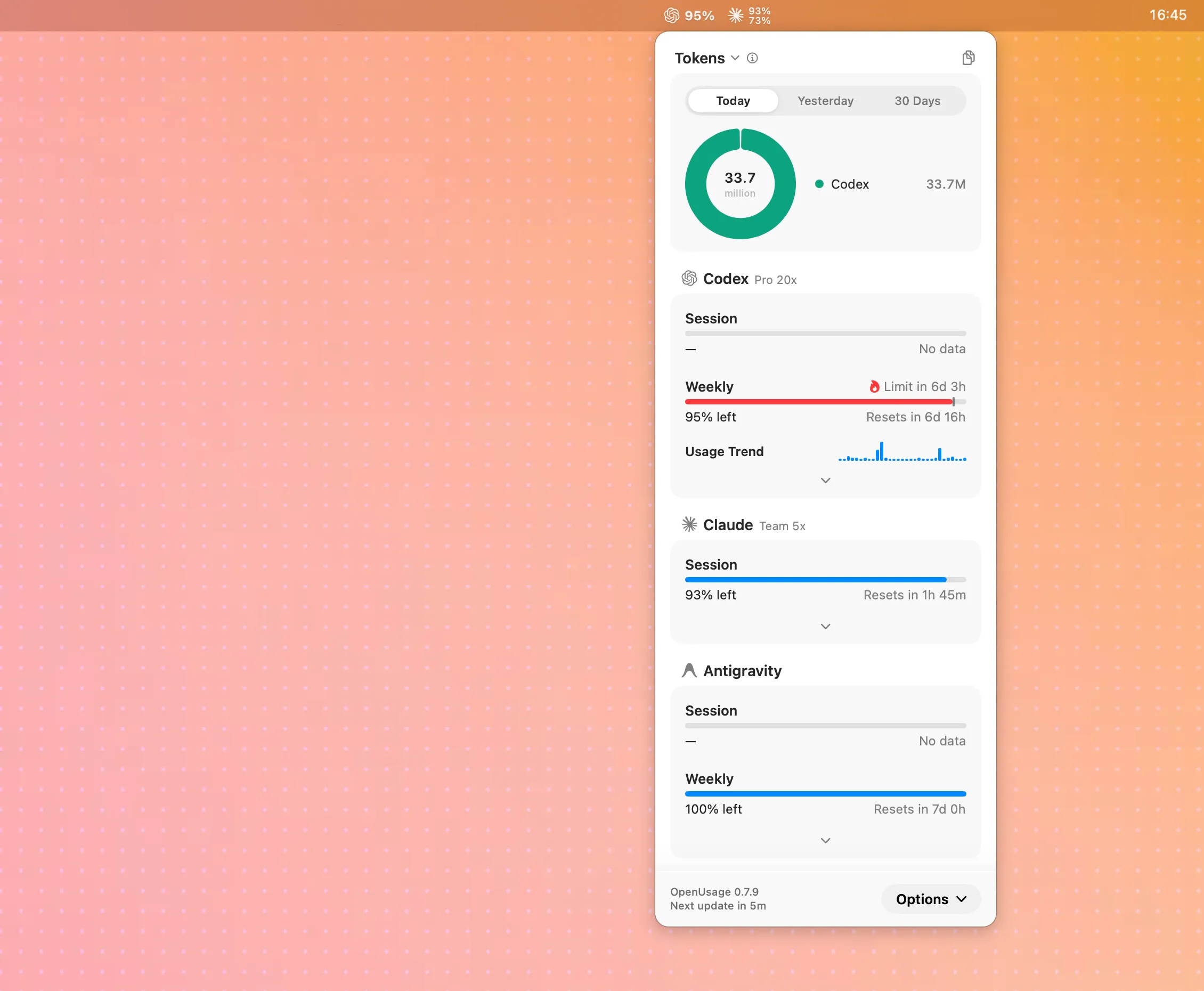
I want it in the menu bar because it interrupts me less. When I need to check limits, I do not need to open a browser or remember where every dashboard lives. I can glance at the top-right corner and roughly know whether I can start the next piece of work.
Open source, free OpenUsage official siteCheck Limits and Resets Before Choosing a Tool
When I open OpenUsage, I usually turn the screen into a few simple questions.
- How much is left: whether the current weekly limit or session limit is safe for a long task.
- When it refreshes: how long until the next quota recovery, so I do not drop work into a tool that is about to hit a wall.
- Whether to pause: if a tool is close to the limit, I do not force a long task through it.
- Which tool to switch to: if one tool is nearly full, I move the work to a tool with safer capacity.
- Whether the data is fresh enough: if the menu bar data looks stale, I go back to the official dashboard for details.
None of these fields is special on its own. The time saving comes from seeing them together. Before switching tools, I no longer need to ask, “Where do I check Claude, where do I check Codex, and where is Antigravity again?” I scan the menu bar once and get a rough answer for how to allocate the next step.
OpenUsage Supported AI Providers
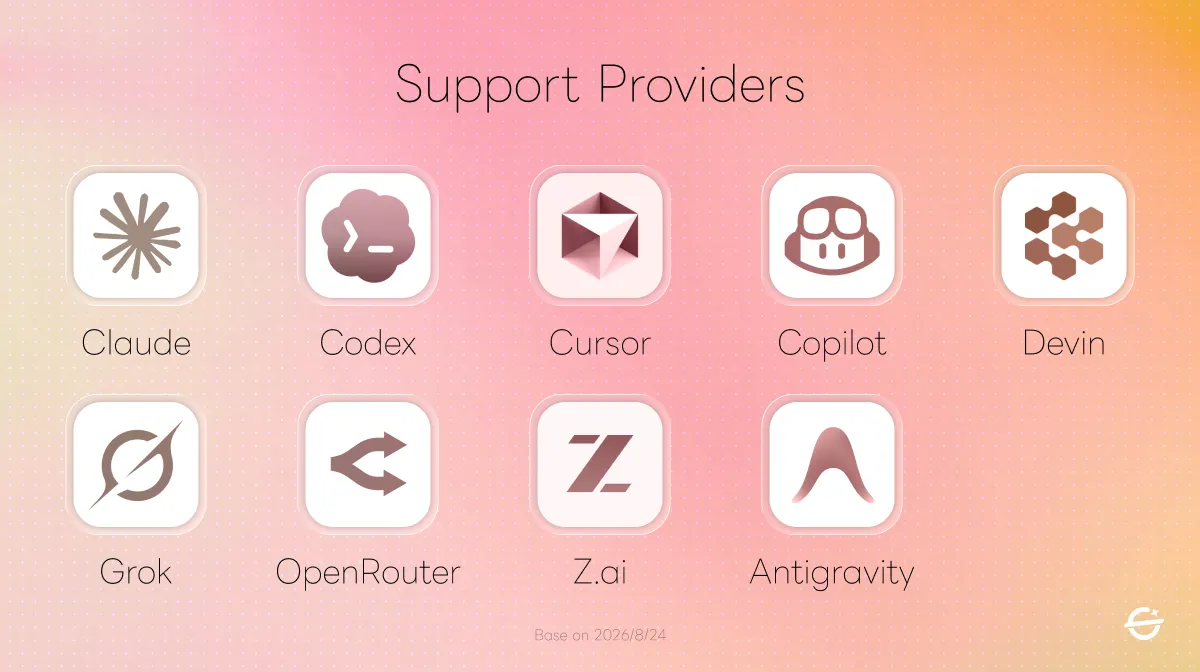
OpenUsage currently supports Antigravity, Claude, Codex, Copilot, Cursor, Devin, Grok, OpenCode, OpenRouter, and Z.ai. I would first check whether the tools I use most often are on that list before deciding whether to bring it into my daily workflow.
Before connecting anything, I would also check how authentication works. The official docs say most tools read existing local credentials, such as keychain entries, auth files, or app state. OpenRouter and Z.ai require an API key.
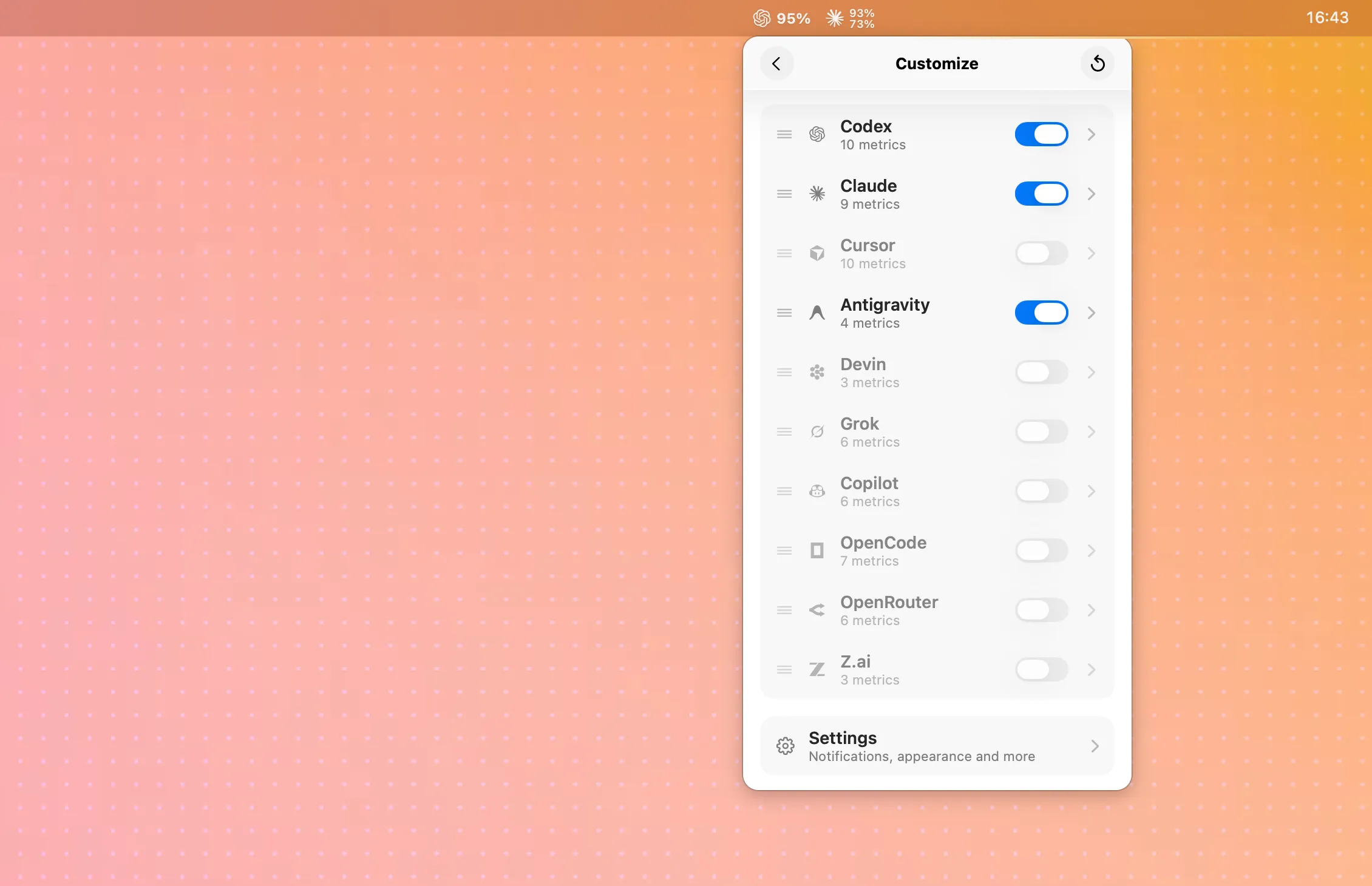
Without something like this, each tool keeps its usage state inside its own interface. The convenient part of OpenUsage is that it gives me one easy-to-reach place for a quick scan, instead of making me open every tool or dashboard.
After connecting it, I still check what each tool can actually show. Some tools expose weekly limits or session limits, some expose credits, and API-based services may show balance or spend. OpenUsage is mainly for quick scanning, so it will not show every detail for every provider. For high-level decisions, though, it is already enough to help me decide whether to switch tools or adjust the allocation.
Audience: People Who Use Several AI Tools Will Feel It Most
OpenUsage makes the most sense for people who use several AI coding tools at the same time. It is especially useful when a few subscription tools are mixed with API-based services, because scattered weekly limits, session limits, and reset times become visible while I am working.
If you only use one tool, the official dashboard is usually enough. The value of OpenUsage shows up when several tools are involved and you do not want to open every dashboard just to check whether work can continue.